

You’ve invested in a PlayStation 5 for its stunning visuals and immersive gameplay, but your TV or monitor might not do it justice. A short throw projector can transform any room into a massive gaming arena without requiring a cavernous space behind your couch. This guide is specifically for gamers seeking that cinematic, large-screen experience tailored for the PS5, focusing on models that deliver great performance without exceeding a four-figure budget.
We evaluated several projectors based on criteria crucial for console gaming, including input lag, brightness, and connectivity. Our selections prioritize a balance between gaming performance and value. For a broader look at high-quality gaming displays, consider our guide to the best 4K console gaming projectors.
| Pick | Product | AI Score | Buy |
|---|---|---|---|
| -7% OFF |
 Optoma GT2000HDR Short Throw Full HD Laser
|
9.4/10 | Buy on Amazon |
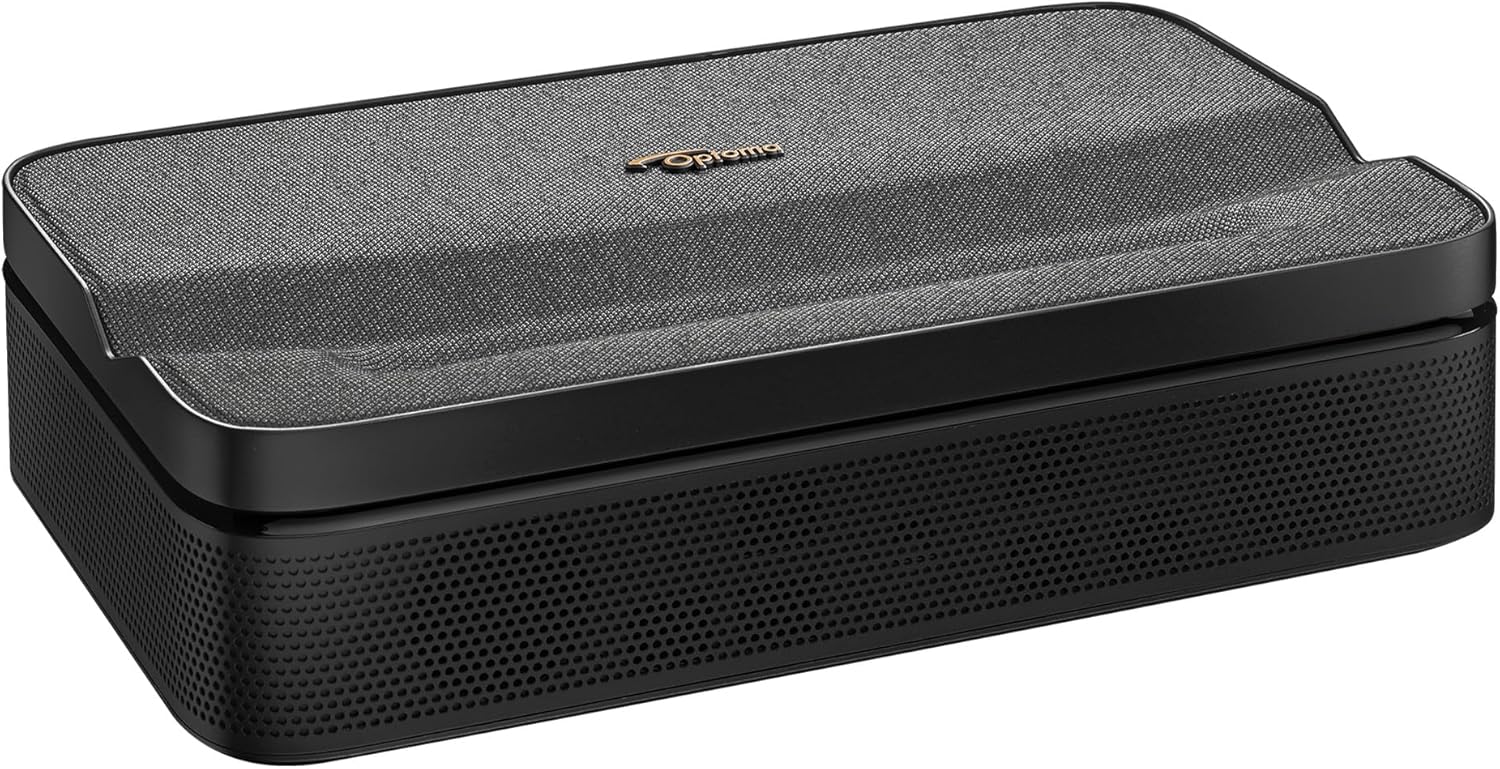 Optoma ML1080UST 1080p Ultra Short Throw Triple
|
9.8/10 | Buy on Amazon |
Pros
- Short throw lens enables big 120-inch images in tight spaces without complicated mounting
- 30,000-hour laser light source eliminates costly bulb replacements over the projector's lifetime
- Impressively low input lag of 8ms at 1080p120Hz makes it genuinely competitive for gaming
- 4K HDR compatibility with HDR10 and HLG ensures future-ready performance with modern source devices
- Compact, energy-efficient build makes it easy to integrate into any living room or game room setup
Cons
- At 3,500 lumens, brightness may fall short in rooms with significant ambient light compared to higher-lumen alternatives
- Native resolution is 1080p only, so 4K content is downscaled rather than displayed natively
- No built-in smart TV platform means you must rely on an external streaming device or gaming console
The Optoma GT2000HDR is a short throw laser projector designed for home theater and gaming use in small to medium-sized rooms. It produces a 120-inch image from just 4 feet 4 inches away, making it one of the most space-efficient projectors in its price range. It is well suited for apartment dwellers, basement setups, and anyone who wants a cinematic experience without dedicating a large room to it.
The DuraCore laser light source is one of the GT2000HDR's most compelling features, rated for up to 30,000 hours of maintenance-free operation. Combined with an IPX6 dust resistance rating, this projector is built for long-term reliability without the recurring cost of lamp replacements. The 3,500-lumen output is solid for a darkened room, though it can struggle against strong ambient light.
For gamers, the Enhanced Gaming Mode is a genuine highlight, dropping input lag to as low as 8ms at 1080p120Hz. This is competitive performance that rivals many dedicated gaming monitors. The 4K HDR input support, with HDR10 and HLG compatibility, adds rich color depth and a 300,000:1 contrast ratio that makes both games and films look visually impressive.
On the design side, the projector is remarkably compact, measuring just 8.5 by 10.79 inches, smaller than a standard sheet of paper. Its energy-efficient operation uses roughly 45% less power than lamp-based competitors, which is a meaningful long-term saving. The inclusion of both HDMI 1.4 and HDMI 2.0 ports ensures compatibility with a wide range of devices including consoles and streaming sticks.
The main limitations are the native 1080p resolution (4K content is downscaled), the absence of built-in smart features, and brightness that may not satisfy users in bright environments. Overall, the GT2000HDR is a strong, well-rounded projector that delivers excellent value for home theater fans and gamers who prioritize short throw convenience and laser longevity.
Resolution: Full HD 1080p (1920x1080). Supports 4K HDR input via HDMI 2.0 with HDCP 2.2, downscaled to 1080p for display.
Brightness and Contrast: 3,500 lumens brightness with a 300,000:1 dynamic contrast ratio powered by Dynamic Black technology. HDR10 and HLG formats are both supported.
Light Source and Durability: DuraCore Laser rated for up to 30,000 hours of maintenance-free use. IPX6 dust resistance rating for enhanced longevity in real-world environments.
Throw Distance and Size: Projects a 120-inch image from just 4 feet 4 inches. Physical dimensions are 8.5 by 10.79 inches, making it one of the most compact projectors in its category.
Gaming Performance: Enhanced Gaming Mode with input lag of 17ms at 4K60Hz input to 1080p60Hz, 16ms at 1080p60Hz, and 8ms at 1080p120Hz. Connectivity includes HDMI 1.4, HDMI 2.0, and USB ports. Keystone correction of plus or minus 30 degrees vertical.
If you are shopping for a short throw projector, the key question is how much space you have and what you primarily plan to use it for. The GT2000HDR is ideal if you want a large image in a room under 15 feet deep, and it excels equally in gaming and movie watching scenarios.
Compare it to the Optoma GT2100HDR if brightness is a priority. The GT2100HDR offers 4,000 lumens versus 3,500 lumens on this model, which makes a noticeable difference in moderately lit rooms. However, the GT2000HDR comes in at a significantly lower price, making it the smarter choice for dedicated home theater spaces where you can control the lighting.
For gamers specifically, the 8ms input lag at 1080p120Hz is among the best available in a projector at this price point. If you own a PlayStation 5, Xbox Series X, or a capable gaming PC, this projector will keep up with fast-paced titles without noticeable lag or ghosting.
Keep in mind that this projector does not include a built-in streaming platform, so you will need a Roku, Fire TV Stick, Apple TV, or similar device connected via HDMI. Budget an additional amount for that if you do not already own one. A proper projector screen will also enhance image quality significantly over a painted wall.
Overall, the GT2000HDR represents strong value for buyers who want laser reliability, short throw flexibility, and gaming-grade responsiveness in a compact, energy-efficient package.
Pros
- Extremely short throw distance creates a large image in confined spaces where traditional projectors cannot compete
- Triple Laser RGB technology produces rich, accurate colors with no lamp replacement required
- Full Google TV ecosystem with certified streaming apps provides a seamless smart TV-like experience
- Portable design with built-in battery and Wi-Fi makes it genuinely usable in multiple locations
- Auto focus and auto keystone correction reduce setup time significantly
Cons
- Battery life of only 1.5 hours limits extended outdoor or travel viewing sessions without access to power
- As a newer product with limited user reviews, long-term reliability and real-world brightness performance are not yet well established
- At this price point, competing fixed-installation projectors may offer higher brightness or contrast for dedicated home theater setups
The Optoma ML1080UST Photon Go is a portable ultra short throw projector aimed at users who want big-screen entertainment without dedicating a room to it. Whether you are setting it up on a bedside table, a gym floor, or taking it on a road trip, this projector is engineered to fit into your lifestyle rather than dictate it. Its combination of compact form factor and smart streaming features makes it a compelling option for renters, travelers, and anyone short on space.
The standout technical achievement here is the ultra short throw lens, which produces a 100-inch image from under 10 inches away. Paired with Triple Laser RGB technology, the image quality is genuinely impressive, offering full HD 1080p resolution with vivid, accurate colors and HDR10 support for enhanced contrast and highlight detail. The auto focus and auto keystone correction features work together to simplify setup considerably, reducing the fuss typically associated with projector placement.
Google TV is smoothly integrated, giving users access to a certified Netflix and Disney+ experience alongside the broader Google Play Store library. The 20-watt stereo speakers with Dolby Audio are a genuine highlight for a projector this size, delivering sound that is rich enough for casual movie watching without requiring a separate Bluetooth speaker. The built-in battery and TSA-compliant design round out a package that is clearly designed for portability first.
The primary drawback is battery life. A 1.5-hour runtime is enough for a single movie with careful management, but it will leave users reaching for a power cable during longer viewing sessions. Additionally, as a newer release with limited owner feedback, real-world brightness performance in well-lit environments and long-term durability remain open questions that prospective buyers should keep in mind.
Overall, the Optoma ML1080UST Photon Go is a well-conceived product for a specific type of user: someone who values flexibility, smart features, and image quality in a portable package. If you frequently move your viewing setup between rooms or locations and want a true ultra short throw experience with built-in streaming, this projector delivers on its core promises. Those prioritizing maximum brightness or marathon battery life may want to explore alternatives before committing.
Resolution: Full HD 1080p native with 4K input support. Technology: Triple Laser RGB DLP. Throw Distance: Under 10 inches for a 100-inch image. HDR Support: HDR10.
Operating System: Google TV with Google Cast. Certified Apps: Netflix and Disney+. App Store: Google Play Store. Connectivity: Wi-Fi, Bluetooth, USB-A charging output.
Audio: 20-watt built-in stereo speakers with Dolby Audio and Bluetooth audio output. Battery: Built-in TSA-compliant battery, up to 1.5 hours runtime. Setup Features: Auto keystone correction, auto focus. Game Mode: Low input lag, compatible with Nintendo Switch in dock mode and other handheld consoles.
If you are considering the Optoma ML1080UST, the first question to ask is how you plan to use it. This projector is purpose-built for flexible, multi-location use. If you need a fixed home theater projector with maximum brightness and a long-throw lens, a traditional installation projector will likely serve you better at this price point.
The ultra short throw design is genuinely useful in apartments, dorm rooms, and small living spaces where you cannot place a projector several feet from the wall. The ability to set it on a coffee table or nightstand and get a massive image immediately is a real-world advantage that changes how you think about big-screen viewing. Pair it with the built-in Google TV and you have a nearly self-contained entertainment system.
Battery life is the key limitation to plan around. For outdoor use or travel, consider whether 1.5 hours meets your needs or whether you will typically have access to a power outlet. The USB-A port for charging devices is a thoughtful addition, but the projector itself will need a wall outlet or a high-capacity power bank for extended sessions. Overall, this is an excellent choice for mobile, flexible users who prioritize smart features and image quality in a compact, easy-to-move package.
Buying Guide for PS5 Short Throw Projectors
Input Lag and Game Mode
For responsive gaming, low input lag is non-negotiable. This is the delay between your controller input and the action appearing on screen. A dedicated Game Mode on a projector, like the one found on the Optoma ML1080UST, optimizes settings to minimize this latency. This ensures your reflexes are accurately translated, which is vital for competitive or fast-paced titles.
Brightness and Light Source
A projector’s brightness, measured in lumens, determines how well the image holds up in rooms with ambient light. Laser light sources, such as the DuraCore laser in the Optoma GT2000HDR, offer consistent brightness over a long lifespan and instant on/off capability. This reliability is key for a device you’ll use frequently for gaming sessions.
If you plan to game in a dedicated dark room, you can prioritize contrast. For versatile spaces where some light is unavoidable, higher lumens are essential. Explore more options in our parent category for gaming projectors.
Throw Ratio and Placement Flexibility
The throw ratio defines how far the projector needs to be from the wall to create a certain image size. An ultra short throw model can sit just inches from the screen, eliminating shadows and trip hazards. This is perfect for tight spaces or living rooms where you want to keep the floor clear. The placement freedom offered by short throw designs is a major advantage for console setups.
Connectivity and Smart Features
Ensure the projector has the right ports for your setup. An HDMI port that supports the bandwidth for your PS5’s output is crucial. Integrated smart platforms, like Google TV on the Optoma ML1080UST, add convenience for streaming services between gaming sessions. This can reduce the need for additional devices connected to your entertainment center.
For gamers prioritizing the highest refresh rates, our resource on low input lag and 120Hz+ projectors is a valuable read.
Final Thoughts
Choosing the right short throw projector can elevate your PS5 gaming from great to extraordinary. For gamers seeking a powerful, traditional setup with robust laser lighting, the Optoma GT2000HDR Ultra-Compact Short Throw Full HD is a compelling choice. Conversely, if ultimate portability, a built-in smart platform, and an ultra short throw design are your priorities, the Optoma ML1080UST 1080p Photon Go Ultra Short Throw offers a uniquely flexible solution. Both deliver the large-scale immersion that makes console gaming truly special.
Frequently Asked Questions
Can a 1080p projector look good with a PS5?
Absolutely. While the PS5 can output 4K, a high-quality 1080p projector with good HDR support can still provide a stunning, immersive gaming experience. The image is upscaled, and on a large screen, the cinematic feel often outweighs the pure pixel count. Many gamers find the value proposition of a 1080p projector under this budget to be excellent.
What is the most important spec for PS5 gaming on a projector?
Input lag is the most critical spec for a responsive gaming experience. Look for a projector with a dedicated Game Mode, which is specifically tuned to reduce latency. After that, consider brightness for your room environment and the throw ratio for your available space. Our roundup of the best 4K projectors for PS5 explores models with higher native resolution.
Do I need a special screen for a short throw projector?
While you can project onto a plain wall, an ambient light rejecting (ALR) screen designed for short throw projectors will significantly improve contrast and color vibrancy, especially in rooms with some light. It helps reject light from above and the sides, directing more of the projector’s light back to your viewing position for a superior image.
How do I connect my PS5 to a projector?
The connection is straightforward. Use a high-speed HDMI cable (often included with the PS5) to connect the console’s HDMI OUT port to an HDMI input on the projector. Ensure you select the correct input source on the projector, and configure your PS5’s display settings in the system menu for the best results based on your projector’s supported resolutions and features.


Write Your Review
No reviews yet. Be the first to share your experience!