

You’ve assembled your dream audio system, but your projector’s audio output is holding you back. The key to a truly cinematic experience lies in seamless integration between your video and sound. For home theater enthusiasts on a budget, finding a projector that delivers stunning 4K visuals while also supporting high-quality external audio can be a challenge.
This guide is crafted for you if you prioritize audio fidelity alongside picture quality. We have evaluated and reviewed five leading projectors that not only stay within a specific budget but also provide the essential ports and features to connect to your soundbar, AV receiver, or surround sound setup. Whether you’re a movie buff, a sports fan, or a gamer, the right connection makes all the difference.
| Pick | Product | AI Score | Buy |
|---|---|---|---|
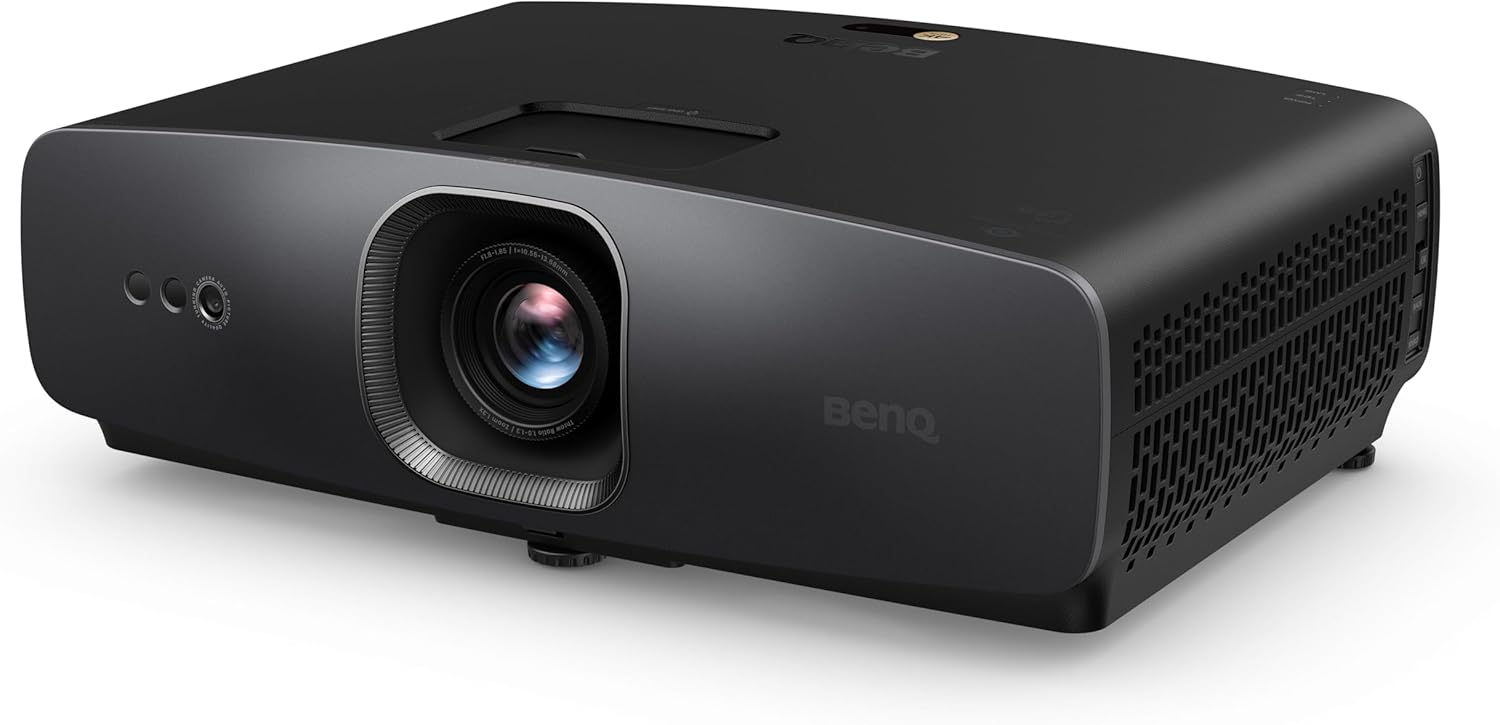 BenQ W2720i 4K UHD Smart Home Theater Projector
|
9.8/10 | Buy on Amazon | |
| Prime |
 Epson Home Cinema 3800 4K PRO-UHD 3-Chip 3LCD
|
9.6/10 | Buy on Amazon |
| Prime |
 Optoma UHZ66 True 4K UHD Laser Projector
|
9.5/10 | Buy on Amazon |
| -15% OFF |
 WEMAX Nova Pro 4K UST Laser Projector, Google TV
|
9.5/10 | Buy on Amazon |
 Formovie Cinema Edge 4K UHD Ultra Short Throw
|
N/A | Buy on Amazon |
Pros
- Excellent out-of-box color accuracy praised by reviewers for movies and sports
- LED light source eliminates bulb changes and reduces heat and startup time
- Simple, automated setup process for squaring the image on fixed screens
- Strong built-in smart platform removes the need for external streaming devices
- Solid contrast and brightness for both dark rooms and moderately lit spaces
Cons
- AI Cinema Mode can misfire when switching between video formats, like show content versus commercials
- 2500 ANSI Lumens is good but not exceptional for very bright rooms
- At 21 pounds, it's heavier than some competing home theater projectors, which may complicate mounting
The BenQ W2720i is a true 4K UHD home theater projector built for enthusiasts who want cinema-grade picture quality without the hassle of external streaming boxes or bulb maintenance. Its built-in Android TV platform and 30,000-hour LED light source make it especially appealing to users upgrading from older bulb-based projectors like the BenQ HT3550 or aging Optoma models.
Where the W2720i really shines is color accuracy straight out of the box. Thanks to BenQ's CinematicColor Technology, it hits 90% DCI-P3 and 98% Rec.709 with a Delta E under 3, which reviewers confirm translates to vivid, natural-looking movies and sports without manual calibration. The automatic screen-fit and keystone correction also earned praise for making setup on fixed screens far less frustrating than older units.
Build quality feels substantial, reflected in its 21-pound weight, and the LED light engine keeps operating temperatures lower while enabling near-instant power-up, a notable upgrade over lamp-based designs. Three HDMI 2.1 ports and eARC support give it flexibility for surround sound setups with Dolby Atmos pass-through.
The main criticism centers on the marketed 'AI Cinema Mode,' which some users found inconsistent, particularly when content switches between video formats like a 4K HDR show and lower-resolution commercials, causing the picture to reset or fluctuate. Brightness at 2500 ANSI Lumens is solid for dark or controlled-light rooms but may fall short in brighter environments.
Overall, the W2720i earns strong marks from actual owners for its picture quality, ease of setup, and bulb-free convenience. It's an excellent choice for dedicated home theater rooms and anyone prioritizing accurate color over maximum brightness, though buyers expecting flawless adaptive AI performance should temper expectations.
Resolution: True 4K UHD (3840 x 2160), 8.3 million pixels, HDR10/HLG support.
Brightness & Contrast: 2500 ANSI Lumens with a 2,000,000:1 contrast ratio for deep blacks and vivid highlights.
Light Source: LED engine rated for 30,000 hours, eliminating bulb replacement costs.
Connectivity: Three HDMI 2.1 (HDCP 2.3) ports, SPDIF, and eARC for 7.1 channel Dolby Atmos pass-through.
Throw Distance: Ranges from 3.3 to 25.1 feet, supporting image sizes from 5.8 to 11.3 feet.
Warranty: 3-year manufacturer's warranty for added long-term assurance.
Pros
- Matched 3,000-lumen color and white brightness is class-leading for a 3LCD projector in this price range
- True 3-chip design ensures consistent, accurate color without the rainbow effect common in single-chip DLP projectors
- HDMI 2.0 at 18 Gbps supports 4K HDR at 60Hz, making it future-proof for next-gen gaming and streaming
- Full 10-bit HDR and HLG support faithfully handles a wide range of modern content formats
- Flexible lens shift and precision glass optics simplify installation and deliver sharp focus across the entire image
Cons
- The 100,000:1 contrast ratio, while respectable, falls short of higher-end Epson models that reach 1,000,000:1, which may affect deep black performance in dark room setups
- 4K PRO-UHD uses pixel-shifting rather than a native 4K panel, so pixel-peepers may notice a difference compared to true native 4K projectors
- At this price point, buyers should budget separately for a quality screen and audio system to fully realize the projector's capabilities
The Epson Home Cinema 3800 is a premium home theater projector aimed at enthusiasts who want a large-screen 4K HDR experience without stepping into the ultra-high-end projector market. It is well-suited for dedicated media rooms, living room setups, and serious 4K gamers who demand accurate color and smooth motion from a big-screen display.
The standout feature of the 3800 is its true 3-chip 3LCD design, which processes 100% of the RGB color signal simultaneously on three separate LCD panels. This approach eliminates the rainbow effect associated with single-chip DLP projectors and ensures that color brightness matches white brightness at a full 3,000 lumens, a specification that many competing projectors fail to achieve. Combined with full 10-bit HDR and HLG support, the image quality in HDR content is detailed, vibrant, and faithful to the source material.
For gamers, the inclusion of full 18 Gbps HDMI 2.0 connectivity is a significant advantage, enabling 4K HDR input at a full 60Hz refresh rate from current-generation consoles and streaming sticks. The real-time 12-bit analog-to-digital video processing further smooths out tonal transitions and reduces compression artifacts, resulting in a clean and cinematic picture. The Epson Precision Lens adds edge-to-edge focus clarity and offers both vertical and horizontal lens shift for flexible room placement.
On the downside, the 3800 uses pixel-shifting technology rather than a native 4K imaging chip, which means the resolution enhancement is processed rather than true native 4K. The contrast ratio of 100,000:1 is solid for most viewing environments but is outclassed by pricier Epson models offering 1,000,000:1 contrast, which could matter in a fully darkened dedicated theater room. The built-in 10W speakers and aptX Bluetooth are convenient for casual use, but a dedicated sound system is recommended to match the visual performance.
Overall, the Epson Home Cinema 3800 delivers an impressive combination of brightness, color accuracy, HDR performance, and gaming readiness in a single package. It is a compelling choice for buyers who want a versatile, high-performance 4K projector that excels across movies, sports, and gaming without the complexity of a full commercial-grade installation.
Resolution: 4K PRO-UHD with pixel-shifting technology across three high-definition LCD chips for enhanced detail and clarity.
Brightness: 3,000 lumens color brightness and 3,000 lumens white brightness, providing a bright and consistent image across various room conditions.
Contrast Ratio: Up to 100,000:1 for rich black detail and strong shadow performance in most home theater environments.
HDR Support: Full 10-bit HDR processing with HLG support, accepting 100% of the HDR source signal for accurate highlight and shadow reproduction.
Connectivity: HDMI 2.0 at 18 Gbps supporting 4K HDR at 60Hz, compatible with virtually all color formats, depths, and color spaces from modern source devices.
Audio: Dual rear-firing 10W stereo speakers with aptX Bluetooth for wireless connection to external sound systems.
3D Support: Active 3D compatible with high-performance active 3D glasses for an immersive 3D viewing experience.
Optics: Epson Precision Lens with multi-element glass construction, offering precision vertical and horizontal lens shift adjustment for flexible installation.
If you are considering the Epson Home Cinema 3800, the most important question is whether your room environment suits a projector setup. Projectors perform best in rooms where ambient light can be controlled, and while the 3800's 3,000-lumen output handles moderate light well, a dedicated darkened room will deliver the most impressive results.
For 4K gaming, this projector is one of the better options in its class thanks to HDMI 2.0 support at 18 Gbps, enabling 4K HDR at 60fps. If you own a current-generation console or a high-end streaming device, you will be able to take full advantage of the projector's capabilities without any signal bottlenecks.
Buyers should also consider screen size and throw distance. The 3800 is designed for large-screen home theater use, typically projecting images from 100 to 150 inches diagonally. Make sure to calculate the throw ratio for your specific room dimensions before purchasing, and consider investing in a dedicated projection screen for the best image quality.
If deep blacks and ultra-high contrast are your top priority, it may be worth considering a step-up Epson model with a higher contrast ratio. However, for most buyers watching content in a typical living room or media room, the 100,000:1 contrast ratio of the 3800 will be more than sufficient and will be hard to distinguish from higher-spec models in real-world conditions.
Finally, while the built-in speakers are a convenient bonus, pairing this projector with a soundbar or a full surround sound system will transform the experience. Budget for audio alongside the projector to get the most out of your home theater investment.
Pros
- Sharp, bright, and colorful true 4K image quality praised by multiple reviewers
- Low input lag and high refresh rate support make it excellent for gaming
- Long-life laser light source removes the need for lamp maintenance
- Compact and quiet operation suitable for everyday home theater use
- Strong connectivity options including dual HDMI 2.0 and ARC/eARC for audio systems
Cons
- Some users report inconsistent image sizing on very large custom screens
- Occasional reports of software glitches or unexpected shutdowns
- Requires new 4K-certified HDMI cables and devices, older cables may not work properly
The Optoma UHZ66 is a true 4K UHD laser projector built for home theater enthusiasts and gamers who want a large, vivid picture without the upkeep of traditional lamp-based units. Its long throw lens and 4000-lumen brightness make it well suited for spacious living rooms, dedicated theater rooms, or even outdoor movie nights.
Real-world performance highlights sharp, richly colored visuals with excellent contrast, especially when paired with 4K HDR content or UHD Blu-ray sources. Gamers benefit from the Enhanced Game Mode, offering response times as low as 4ms, making fast-paced titles on PS5, Xbox Series X/S, or PC feel smooth and responsive.
Build quality is compact and understated in white, weighing under seven pounds and consuming significantly less power than lamp-based alternatives. The DuraCore laser engine promises up to 30,000 hours of maintenance-free operation, a major convenience for daily users who don't want to worry about replacing bulbs.
On the downside, a few users have noted difficulty achieving expected image sizes on oversized custom screens, and there are isolated reports of software instability or unexpected shutdowns. Additionally, older HDMI cables and splitters may not support the full 4K feature set, so upgrading cabling is often necessary.
Overall, the Optoma UHZ66 stands out as a capable, future-ready projector for home cinema and gaming setups, offering excellent brightness, color accuracy, and long-term reliability. It's an easy recommendation for anyone upgrading from an older lamp-based projector, though buyers with extremely large custom screens should verify throw distance and image size requirements first.
Pros
- Massive 150-inch picture from an ultra short throw distance, perfect for space-constrained rooms
- Vibrant, sharp 4K image quality praised by multiple reviewers as 'crisp' and 'unreal at night'
- Easy setup, most users report full configuration in under 30 minutes
- Loud, high-quality built-in audio that eliminates the need for a separate soundbar for many users
- Smooth Google TV interface with responsive navigation and broad streaming app support
Cons
- Some users report input-switching glitches that require restarting the projector
- Only a 6-month warranty, shorter than many competing projectors
- Best picture quality requires a dark or dim room; bright ambient light can wash out the image
The WEMAX Nova Pro is a 4K ultra short throw laser projector designed for buyers who want to replace their TV with a genuine home theater experience. With its 0.23:1 throw ratio, it can project a 150-inch image from under 20 inches away, making it a smart choice for smaller living rooms or media spaces where a traditional long-throw projector wouldn't fit.
Performance-wise, the ALPD laser engine and 110% Rec.709 color gamut produce noticeably vivid, speckle-free visuals, and reviewers consistently praise the picture as crisp and immersive, especially in darkened rooms. Built-in MEMC motion smoothing helps with sports and gaming, while the integrated Google TV platform makes streaming Netflix and thousands of other apps simple, complete with voice control via Google Assistant.
Build quality feels premium for the price point, and the dual 15W speakers with Dolby Audio and DTS-HD support genuinely reduce the need for an external soundbar, according to multiple owners. Setup is reportedly quick, often completed within 25 to 30 minutes including streaming app configuration.
On the downside, a handful of users report input detection issues that occasionally require a restart, and the remote lacks a dedicated source button, forcing extra menu clicks. The projector also performs best in low ambient light, so rooms with lots of natural sunlight may need blackout curtains or an ALR screen to get the most out of it.
Overall, the WEMAX Nova Pro is a compelling value in the UST projector space, delivering big-screen 4K clarity, strong built-in audio, and smart TV convenience in one unit. It's well suited for movie nights, casual gaming, and anyone ready to ditch a traditional television, though buyers should be mindful of the shorter 6-month warranty and occasional connectivity quirks.
The Nova Pro features true 4K UHD resolution (3840 x 2160) via 0.47" DMD DLP display technology, paired with a 2100 ISO lumen ALPD laser light source and a 3000:1 contrast ratio for bright, detailed images in a variety of lighting conditions.
It supports HDR10 and HLG for enhanced dynamic range, along with Active 3D playback for immersive movie viewing. Connectivity includes HDMI 2.1, USB 2.0, 3.5mm audio, optical output, LAN, dual-band WiFi 6, and Bluetooth, covering most modern streaming, gaming, and audio setups.
Image size ranges from 80 to 150 inches depending on placement, with a minimum throw distance of just 0.13 meters. The unit weighs 7kg and includes a remote, power cord, cleaning cloth, and user manual in the box, backed by a 6-month warranty.
Pros
- Native Google TV with licensed Netflix eliminates the need for an external streaming stick
- Ultra short throw design saves space while still delivering a huge 150-inch picture
- Bright 2100 lumen ALPD laser performs well even in ambient light
- Built-in Dolby Audio and DTS-HD speakers reduce the need for extra audio equipment
- Generous connectivity with three HDMI 2.1 ports for gaming consoles and other devices
Cons
- No user reviews yet, so real-world reliability and long-term performance are unproven
- 2100 lumens and 3000:1 contrast are modest compared to pricier UST laser projectors
- At 15.4 pounds and requiring precise short throw placement, setup flexibility is more limited than standard projectors
The Formovie Cinema Edge is a 4K UHD ultra short throw laser projector built for buyers who want a true all-in-one home theater centerpiece. With Google TV baked in and Netflix officially licensed, it functions as both a giant-screen display and a smart streaming hub, making it well suited to households replacing a traditional TV and media player combo.
The standout feature is its ALPD laser engine, which pushes 2100 ISO lumens and HDR10 support to produce a bright, colorful, speckle-free image even in rooms with ambient light. Combined with its 0.23:1 throw ratio, the projector can throw a 150-inch image from a mere 19 inches away, a huge space advantage over long throw projectors that need distance from the wall.
Build quality appears solid for a desktop UST unit, weighing just over 15 pounds with a compact footprint of roughly 18 by 12 inches. Auto focus and auto screen alignment help simplify setup, while human presence detection adds a smart safety touch for households with kids or pets near the projector.
On the downside, its 3000:1 contrast ratio and 2100 lumen brightness sit in the mid-range for UST laser projectors, so it may not match the deepest blacks or peak brightness of flagship models costing significantly more. It also lacks any user reviews so far, meaning long-term durability and software performance are still unverified in real-world use.
Overall, the Formovie Cinema Edge is a compelling choice for anyone wanting a space-saving, feature-rich 4K laser TV with genuine Netflix support and strong built-in audio. It's best suited for home theater enthusiasts and casual streamers alike who prioritize convenience and screen size over ultimate picture performance.
What to Look for in a Projector with Great Audio Support
Essential Audio Output Ports
Modern home audio relies on digital connections for the best quality. When selecting your projector, prioritize models with HDMI eARC or ARC. This feature allows a single HDMI cable to carry both high-resolution video from the projector and send audio back to your sound system. Optical audio outputs are also valuable for connecting to older receivers.
For a truly immersive setup, ensure the projector can pass through advanced audio formats like Dolby Atmos and DTS:X. This capability is crucial for unlocking the full potential of your external speaker system, creating that three-dimensional soundscape you desire. You can explore other models with advanced audio features in our guide to the best projectors under $2000 with high dynamic range.
Built-in Smart Features and Audio Handling
A projector with a built-in smart platform, like Android TV or Google TV, simplifies your setup. It acts as your media hub, streaming content directly. More importantly, it handles audio decoding internally before sending the signal to your external speakers. This can result in more reliable compatibility and easier control compared to using an external streaming stick.
Look for projectors that support major streaming apps natively. This direct integration often provides better app performance and audio format support than external devices. For projectors focused on media consumption, a long-lasting light source is also a key consideration, which you can read about in our review of the best projectors under $2000 with long life light sources.
Throw Type and Placement Flexibility
Your room layout dictates your projector choice. Traditional long-throw models need space between the lens and the screen, which can affect cable runs for audio. Ultra Short Throw projectors sit just inches from the wall, making it easier to place them near your media console and audio equipment for cleaner cable management.
Consider where your speaker wires and HDMI cables will run. A UST projector minimizes this hassle, often creating a more living-room-friendly setup. If your space is limited, this design can be a significant advantage. For other compact options, our list of the best projectors under $2000 with built-in batteries offers insights into portable solutions.
Final Thoughts
Selecting the right projector is about balancing brilliant visuals with robust audio connectivity. For users who want a traditional, high-brightness setup with excellent gaming performance, the Optoma UHZ66 Technology 4000-Lumen UHD 4K Laser is a compelling choice with its eARC support. Alternatively, if your priority is saving space with a premium all-in-one entertainment hub, the Nova Pro 4K Ultra Short Throw Projector provides outstanding smart features and audio outputs right out of the box. Both represent excellent pathways to achieving your home theater goals with superior external speaker support.
Frequently Asked Questions
What is the most important port for connecting external audio to a projector?
HDMI eARC is currently the most important port. It allows for a single cable connection to an AV receiver or soundbar while supporting the latest high-bandwidth audio formats like Dolby Atmos. This simplifies your setup and ensures you get the best possible sound quality from your streaming services and Blu-ray players.
Can I use a projector’s built-in speakers and external speakers at the same time?
Typically, projectors are designed to output audio to one source at a time, either the internal speakers or the external audio output. You would need to choose one in the settings. For a unified, powerful sound experience, it is recommended to use a dedicated external audio system, as covered in our broader guide to the best projectors by budget.
Do all projectors under $2000 support Dolby Atmos pass-through?
No, not all of them do. Support for advanced audio codecs is a specific feature you must verify. Many newer models in this category, especially those with HDMI 2.1 or eARC ports, do offer Dolby Atmos and DTS:X pass-through. Always check the product specifications or key features list to confirm this capability before making your decision.
Is an AV receiver necessary if my projector has good audio outputs?
While not strictly necessary, an AV receiver offers significant advantages. It acts as a central hub for all your media devices, switches between them, and powers your passive speakers with amplification tailored for home theater. If you plan to build a multi-channel surround sound system, a receiver is essential. For simpler setups, a soundbar connected directly to the projector’s eARC or optical port may be sufficient.


Write Your Review
No reviews yet. Be the first to share your experience!