

You have your ideal gaming projector, ready to bring sprawling open worlds and competitive esports to life on a grand scale. But that immersive experience hinges on one crucial component: the screen. A motorized projector screen elevates your setup from a makeshift solution to a dedicated command center, offering seamless deployment and a professional finish perfect for any room.
This guide focuses specifically on motorized screens that excel with gaming projectors. We evaluated models based on screen material performance for fast-paced visuals, quiet motor operation to avoid distraction, and convenient control options. Whether you are building a dedicated gaming room or need a versatile screen for mixed use, the following options provide the reliability and image quality you need. For a different aesthetic, you might also consider our review of the best fixed frame screens for gaming projectors.
| Pick | Product | AI Score | Buy |
|---|---|---|---|
 ZUEDA 100 Inch Motorized Projector Screen
|
9.7/10 | Buy on Amazon | |
| -13% OFF |
 DINAH 120 Inch Electric Projector Screen
|
9.5/10 | Buy on Amazon |
 Aoxun 100" Motorized Projector Screen
|
9.5/10 | Buy on Amazon | |
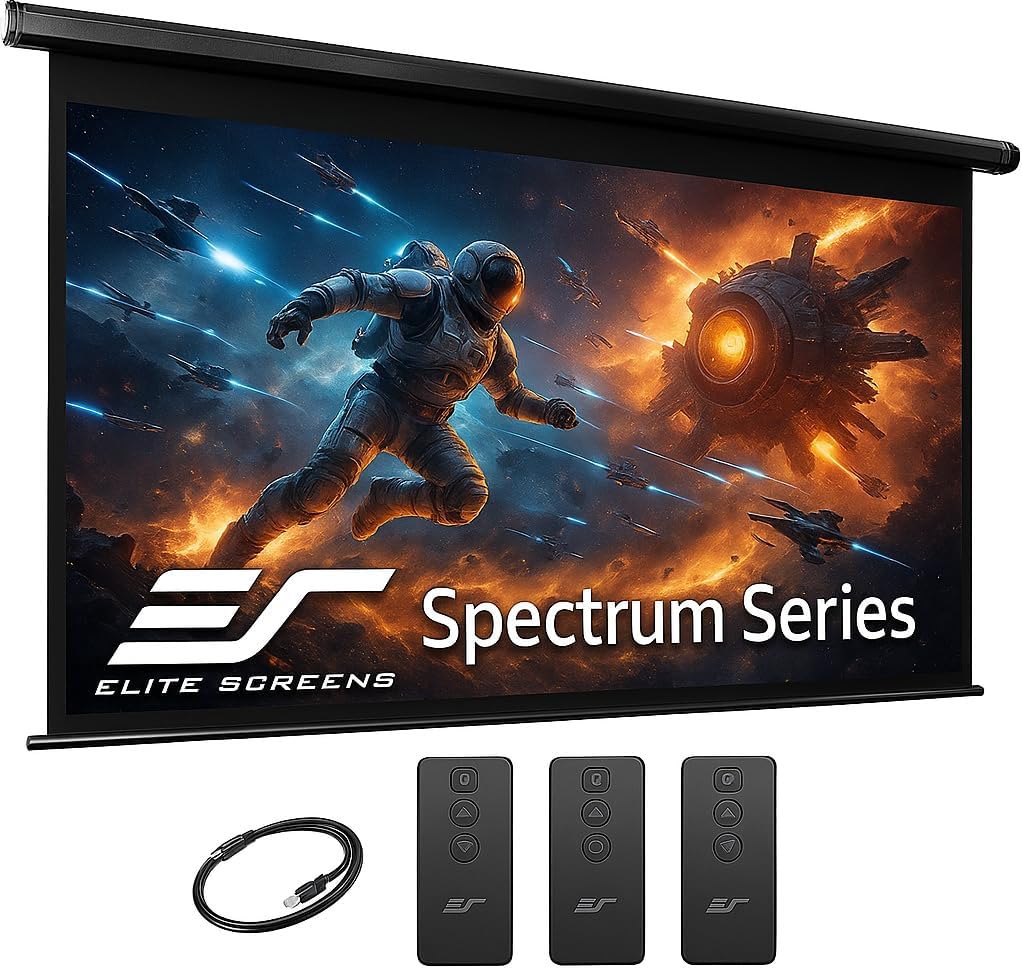 Elite Screens Spectrum RC1 125-INCH Motorized
|
9.5/10 | Buy on Amazon |
Pros
- Smooth, quiet motorized operation praised by multiple reviewers
- Easy installation, even for one or two people without professional help
- High-quality matte screen surface with no wrinkles or defects reported
- Convenient backup controls via cord switch if remote fails
- Great value for the price compared to similar screens
Cons
- Audible beep during operation with no option to disable it
- Screen material may not be as thick or bright as pricier tripod or fixed-frame alternatives
- Can sway or wave in rooms with strong airflow like ceiling fans, lacking bottom-weighted stability
The ZUEDA 100-inch Motorized Projector Screen is designed for anyone looking to bring a home theater style experience into their living room, office, or classroom. Its electric drop-down mechanism, controlled by either a remote or a wall-mounted switch, makes it a convenient alternative to fixed or manual pull-down screens.
Users highlight the smooth and quiet motor operation, along with the crisp, matte white surface that resists wrinkles and yellowing over time. The 160-degree viewing angle and 1.1 gain screen produce clear, vibrant images suitable for presentations, movies, and gaming alike.
Build quality centers around a metal casing that supports both ceiling and wall mounting, giving flexibility depending on your room setup. While generally sturdy, a few users note that the screen can flutter slightly in rooms with strong air movement, such as near ceiling fans.
On the downside, the unit does emit a loud beep during operation with no way to mute it, which some may find slightly annoying during nighttime use. Additionally, while the screen performs well for the price, it doesn't quite match the rigidity or brightness of pricier fixed-frame screens.
Overall, the ZUEDA projector screen delivers excellent value for casual home theater enthusiasts, teachers, or business users who need an affordable, easy-to-install motorized screen. It's a smart pick for those prioritizing convenience and picture quality over premium build materials.
Pros
- Easy installation and simple remote operation
- Smooth, quiet motorized retraction and deployment
- Sharp, vivid image quality suitable for 4K content
- Affordable price point compared to premium screen brands
- Matte finish helps reduce glare for better picture quality
Cons
- Noticeable chemical smell out of the box that may take days to fully dissipate
- Thinner screen material can move or ripple if exposed to airflow like ceiling fans
- Remote's attached cable is short, limiting mounting placement options
The DINAH 120 Inch Electric Projector Screen is designed for anyone wanting a large-format, motorized home theater setup without paying premium prices. It suits movie lovers, presenters, and classroom or office use where a clean, retractable screen is preferred over a fixed one.
The standout feature is the remote-controlled motorized operation, which lets users raise or lower the 120-inch screen at the touch of a button. Reviewers consistently praise the smooth, quiet motor and the clarity of the matte finish, which supports 4K 3D HD projection with a wide 160-degree viewing angle.
Build quality is generally solid for the price, with an easy ceiling or wall mount installation process that most users complete without issues. However, some buyers note the screen material feels thin compared to higher-end brands, which can cause visible rippling if a ceiling fan or airflow hits it during use.
A common drawback mentioned across reviews is a strong chemical smell upon unboxing, with many recommending airing the screen out in a garage or well-ventilated space for a day or two before installation. Minor cosmetic issues from shipping, like small dents, were also reported but didn't affect functionality.
Overall, this screen delivers strong value for budget-conscious buyers who want a large, motorized display for casual home theater or presentation use. It's a practical choice if you're willing to tolerate a brief odor period and keep airflow away from the screen during playback.
Pros
- Quiet motor operation suitable for home theater environments
- High-quality 4-layer PVC screen material improves color accuracy and contrast
- Flexible mounting options for both wall and ceiling installation
- Convenient remote and wall panel control system
- Fast, tool-light setup since it ships fully assembled
Cons
- At 25.4 lbs, mounting may require an extra set of hands or additional wall support
- Motorized components can be more prone to long-term mechanical issues than manual screens
- 160-degree viewing angle and 1.2 gain may not satisfy users seeking premium high-gain or ALR screens
The Aoxun 100-inch motorized projector screen is designed for anyone wanting a convenient, electric alternative to manual pull-down or fixed-frame screens. It fits well in home theaters, classrooms, conference rooms, and even outdoor movie setups thanks to its 16:9 aspect ratio and versatile mounting options.
The standout feature here is the motor system itself. Rated under 42dB, it operates quietly enough to not distract during film screenings or presentations, and it can be controlled either through a long-range RF remote or a wall-mounted panel, giving users flexibility depending on the room setup.
Build quality centers around a 4-layer, black-backed PVC matte screen that blocks light penetration and improves color reproduction. With a 160-degree viewing angle and 1.2 gain, the picture stays consistent for viewers seated off-center, and the surface is easy to clean with just soap and water.
On the downside, the unit weighs over 25 pounds, so mounting alone can be tricky, and as with any motorized mechanism, there's a slightly higher long-term risk of motor wear compared to fully manual screens. Buyers expecting ultra-premium ALR or high-gain performance may find the specs adequate but not exceptional.
Overall, this screen delivers solid value for those wanting a hassle-free, motorized viewing solution that installs quickly and performs reliably across a range of settings. It's a practical choice for home theater enthusiasts and small business presentation rooms alike.
Pros
- Excellent color accuracy and image quality praised across multiple reviews
- Easy remote-controlled operation with both IR and RF options
- Sturdy construction backed by responsive customer service for defects
- Works well even with some short-throw projectors despite official compatibility limits
- Backed by a 2-3 year manufacturer warranty and lifetime tech support
Cons
- Heavy and large, making a two-person installation almost mandatory
- Included mounting hardware may be underwhelming, some users prefer separate brackets
- Not compatible with short-throw or ultra short-throw projectors per manufacturer specs
The Elite Screens Spectrum RC1 is a 125-inch motorized projection screen designed for home theater enthusiasts and commercial installers who need a permanent, high-quality drop-down display. Its 16:9 aspect ratio and ISF-certified MaxWhite 2 material make it a strong choice for anyone running a 4K or 8K projector setup and wanting reliable color accuracy.
In real-world use, the screen's standout feature is its dual remote control system, both IR and RF, which allows for flexible operation even when the screen is out of direct line of sight. The programmable vertical drop position is a thoughtful touch, letting users fine-tune exact screen placement for their room's layout. Reviewers consistently praise the picture quality, with one noting excellent results even when paired with a short-throw projector, despite official specs stating incompatibility.
Build quality is generally solid, with a durable PVC case and black-backed screen material that resists show-through and is easy to wipe clean. However, the product is heavy (over 28 lbs for this size, more for larger variants) and installation is best handled by two people. Some reviewers mention that the included mounting hardware could be improved, opting instead for separate wall brackets for added stability and clearance.
On the downside, a few buyers reported receiving units with cosmetic damage such as dents, though Elite Screens' customer service and Amazon's return process resolved these issues smoothly. There's also an isolated report of a screen detaching from the wall after proper installation, a reminder that anchoring into wall studs is strongly recommended for a product of this size and weight.
Overall, the Elite Screens Spectrum RC1 125-inch is a well-built, feature-rich projection screen that delivers strong image quality and convenient remote operation. It's best suited for buyers setting up a dedicated home theater or commercial space who can commit to a proper two-person installation and don't need short-throw projector compatibility.
Before purchasing, measure your available wall or ceiling space carefully. The Spectrum RC1's overall size is 72.7 inches high by 122.2 inches wide, so you'll need adequate clearance for both the housing and the drop-down screen material.
Check your projector's throw distance and lens specifications, as this screen is explicitly not designed for short-throw or ultra short-throw projectors. Standard throw 4K and 8K Ultra HD projectors will get the best results from the MaxWhite 2 material's 1.1 gain and 180-degree viewing angle.
Plan for a two-person installation and, whenever possible, mount into wall studs rather than relying solely on the included anchors for added long-term security. If you're setting up in a commercial or multi-screen environment, take advantage of the selectable RF channels to avoid interference between units.
Buying Guide: Choosing Your Motorized Gaming Screen
Screen Size and Aspect Ratio for Gaming
The most immersive gaming experiences often come from a larger canvas. Your choice depends on your room size and viewing distance. For most living rooms or dedicated gaming spaces, screens between 100 and 125 inches diagonally offer a fantastic balance of scale and practicality. The 16:9 aspect ratio is the universal standard for modern gaming and video content, ensuring your image fits the screen perfectly without black bars.
Consider your projector’s throw distance and the available wall or ceiling space. A larger screen requires more physical room for the case and a projector capable of filling it brightly. Measure your space carefully before deciding. For a complete overview of screen options tailored for gaming, explore our guide to the best projector screens for gaming projectors.
Material Performance: Gain and Viewing Angle
Screen material directly impacts image clarity, color vibrancy, and viewing comfort. For gaming, a matte white surface with a moderate gain (typically 1.1 to 1.2) is ideal. It provides a wide viewing angle so everyone on the couch gets a great view, without hot-spotting or reflective glare that can strain your eyes during long sessions.
Look for materials described as ‘black-backed’ or with multiple layers. This design prevents light from penetrating the screen and washing out colors, resulting in deeper blacks and better contrast, which is crucial for spotting details in dark game environments. A good screen should make your projector’s image pop with accurate color reproduction.
Motor Noise and Control Convenience
A whirring or grinding motor can shatter the immersion of a quiet cinematic cutscene or tense online match. Seek out screens that specifically advertise quiet motor operation, often measured in decibels (dB). A motor quieter than 45dB is generally unobtrusive in a home environment. The mechanism should provide smooth, reliable extension and retraction every time.
Control options are equally important. A radio frequency (RF) remote is superior to infrared (IR) as it does not require a direct line of sight, allowing you to control the screen from anywhere in the room. Some models offer additional flexibility with wall-mounted control panels or programmable drop positions, letting you save your preferred screen height for different uses. These features add to the polished, smart-home feel of your gaming setup.
Installation and Build Quality
Motorized screens are a semi-permanent installation. A sturdy metal casing is essential for durability and to prevent sagging or warping over time. Many units arrive fully assembled for a true plug-and-play experience, with clear instructions for either wall or ceiling mounting. Check that the included hardware is robust and suitable for your wall type.
Consider the overall product dimensions, not just the viewable screen size, to ensure it fits your intended space. A well-built screen should feel solid and operate reliably for years. Proper installation is key to safety and performance, so if you are mounting it to a ceiling, ensure you anchor it securely into joists. For mounting your projector to complete the setup, check out our recommendations for the best 4K gaming projector mounts.
Final Thoughts
Upgrading to a motorized screen is a definitive step towards a premium gaming and entertainment space. The convenience of remote-controlled operation and the clean, hidden-away aesthetic significantly enhance your daily experience. For most gamers seeking a balance of performance and value, the Motorized Projector Screen with Remote Control offers reliable 100-inch performance with easy installation. If your space and ambition call for a larger, more feature-rich professional option, the Elite Screens Spectrum RC1 Remote delivers superior 125-inch clarity with programmable controls and premium build quality, solidifying any high-end home theater or gaming room. Explore more gear in our dedicated Gaming Projectors category for further inspiration.
Frequently Asked Questions
Are motorized projector screens worth it for gaming?
Absolutely. Beyond the obvious convenience, they provide a perfectly flat, taut surface that optimizes image quality from your gaming projector. The automated drop and retraction protect the screen from dust and damage, and the professional look instantly elevates your gaming room. It turns your setup from temporary to permanent with a touch of a button.
How do I connect a motorized screen to my gaming setup?
Most motorized screens operate independently. You simply plug the screen’s power cord into a wall outlet and use the included remote. There is no direct connection to your projector or gaming console. For advanced integration, some screens offer a 12v trigger port that can sync the screen’s movement with your projector’s power state, creating a fully automated start-up sequence.
Can I use a motorized screen outdoors for gaming?
While some motorized screens are marketed for indoor/outdoor use, they are not weatherproof. You can use them in covered, protected outdoor areas like a screened porch or under a patio roof for a gaming night. Always retract the screen immediately after use and never expose it to rain, direct sun for extended periods, or high humidity, as this can damage the motor and screen material.
What is the difference between gain and screen material for fast-paced games?
Gain measures how much light the screen reflects back to the viewer. A moderate gain (around 1.1) is ideal for gaming, as it balances brightness with a wide viewing angle. The material, typically a matte white PVC, is designed to minimize reflection and provide uniform color. This combination ensures smooth motion handling without blur or distracting hotspots, which is critical for fast-paced action and competitive gaming where every visual detail matters. For other premium home theater components, browse our Home Theater Projectors section.


Write Your Review
No reviews yet. Be the first to share your experience!