

Outfitting a conference room or classroom with a projector that actually holds up to daily use is trickier than it sounds. Spend too little and you end up with a dim, unreliable unit that struggles under office lighting. Spend too much and you might pay for home theater features you never touch.
This guide narrows things down to three well-regarded models that sit in a sensible investment range for offices, classrooms, and small conference rooms. If you want a broader view of what else is out there, our business and classroom projector picks cover models at every price point.
| Pick | Product | AI Score | Buy |
|---|---|---|---|
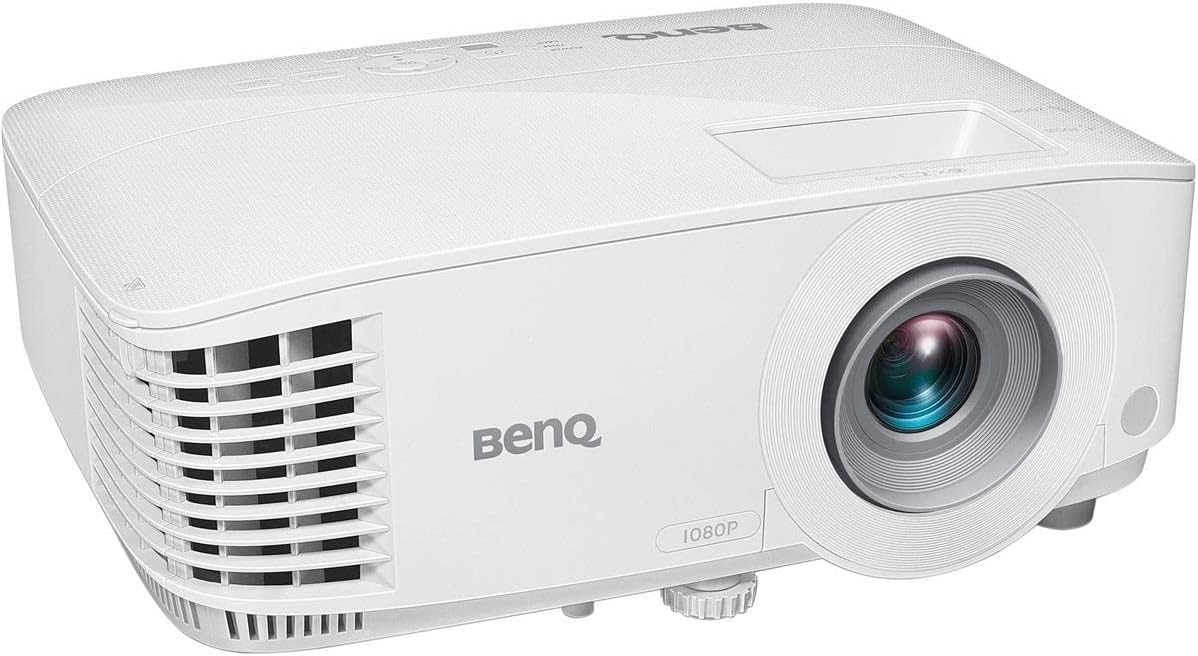 BenQ MH733 1080P Business Projector, 4000 Lumens
|
9.7/10 | Buy on Amazon | |
| -7% OFF |
 Epson Home Cinema 1100 Full HD 1080p 3LCD
|
9.8/10 | Buy on Amazon |
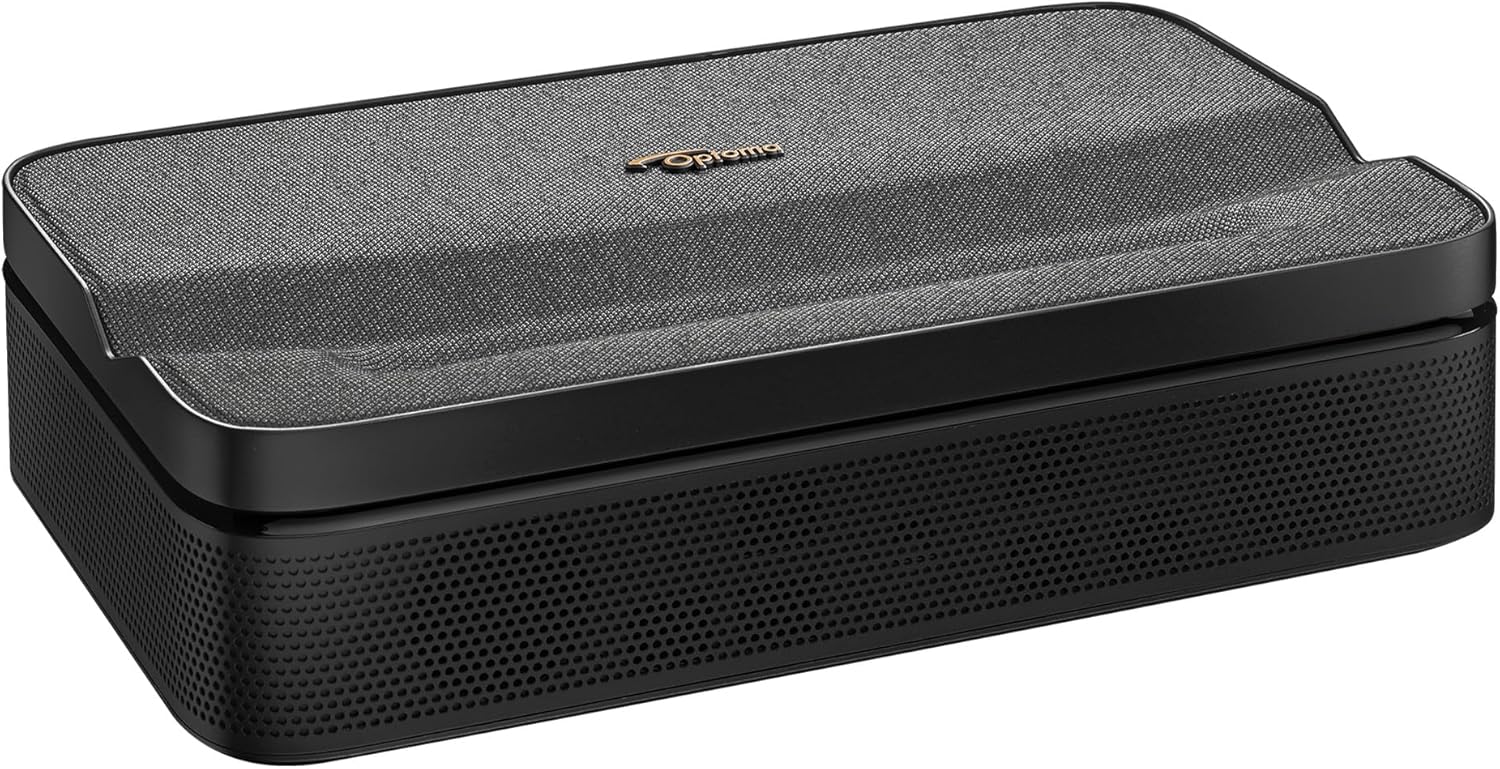 Optoma ML1080UST 1080p Ultra Short Throw Triple
|
9.4/10 | Buy on Amazon |
Pros
- Very bright display, ideal for windowless or well-lit conference rooms
- Sharp 1080p image quality praised by both business and home users
- Easy wireless setup and flexible mounting with auto keystone correction
- Doubles well as a home theater or gaming projector with low input lag
- Energy-efficient SmartEco mode extends lamp lifespan significantly
Cons
- Built-in speaker sound quality is basic and best paired with external audio
- Color reproduction can appear slightly inaccurate out of the box
- Lamp-based light source means eventual replacement costs compared to laser models
The BenQ MH733 is a 1080p DLP business projector built for conference rooms, classrooms, and presentation spaces that need reliable brightness and easy setup. With 4000 ANSI lumens and a 16,000:1 contrast ratio, it's designed to perform well even when ambient light is present.
In real-world use, reviewers consistently praise its brightness and clarity, noting that it holds up even in rooms with lights on. Wireless casting through the Qcast app and optional dongle lets users present without cable clutter, while auto vertical keystone correction and a 1.3x zoom make alignment quick in almost any room layout.
Build quality benefits from BenQ's low-dispersion glass lens, which reduces chromatic aberration and keeps images sharp over time. The triple adjustment feet, Kensington lock support, and top-mounted lamp access show thoughtful design for both tabletop and ceiling-mounted installations.
On the downside, the built-in 10W speaker is functional but not particularly powerful, so an external sound system is recommended for larger rooms. A few users also noted the color reproduction can look slightly off without calibration, and as a lamp-based projector, it will eventually need bulb replacement, unlike laser alternatives.
Overall, the BenQ MH733 is a dependable, versatile projector that punches above its business-class label. It's a great fit for offices and schools needing bright, wireless-ready presentations, and it doubles surprisingly well as a home theater or gaming display for users seeking value and performance.
The MH733 features a native 1080p (1920x1080) resolution with support up to WUXGA, powered by a 240W lamp rated for up to 15,000 hours in LampSave mode. It offers a 1.15-1.5 throw ratio and image sizes ranging from 30 to 300 inches diagonally.
Connectivity is robust for a business-class unit, including two HDMI ports, VGA in/out, USB Type-A and Mini-B, LAN (RJ45), and RS-232 for network control via Crestron, AMX, or PJ-Link. This makes it suitable for both standalone use and integration into larger AV systems.
Physically compact at 296 x 120 x 221mm and weighing just 2.5kg, it's easy to mount or relocate as needed, backed by BenQ's 3-year warranty for added assurance.
Pros
- Bright, color-accurate 1080p image suitable for daytime or evening viewing
- Wireless streaming via AirPlay and Miracast simplifies setup
- Portable and lightweight at just over 6 lbs
- Two HDMI ports plus USB power for streaming devices
- Above-average 2-year warranty coverage
Cons
- Only a modest 2W built-in speaker, so external audio is recommended for serious movie nights
- 1080p Full HD resolution rather than native 4K, which some buyers may expect at this price
- Lamp-based light source means eventual bulb replacement instead of long-life laser
The Epson Home Cinema 1100 is a Full HD 1080p projector built for casual home theater use, gaming, and even outdoor movie nights. It targets buyers who want a big-screen experience without the complexity or cost of 4K laser projectors, making it a great fit for families, dorm rooms, or anyone setting up a flexible entertainment space.
Its standout feature is brightness: 3,400 lumens of both color and white output mean images stay punchy and watchable even with some room light present, a common weak point for budget projectors. The true 3-chip 3LCD engine also avoids the rainbow artifacts sometimes seen on single-chip DLP units, and built-in AirPlay and Miracast support let you cast content directly from an iPhone, Mac, or Windows laptop without a streaming stick.
Build quality follows Epson's familiar compact, portable design, weighing just over 6 lbs and measuring under 12 inches wide, so it's easy to relocate or pack away. Dual HDMI ports and a USB power port add welcome flexibility for connecting Fire TV, Roku, or gaming consoles directly.
The main compromises are the modest 2W internal speaker, which will likely need a soundbar or AV receiver for serious viewing, and the 1080p resolution ceiling, which won't satisfy buyers chasing native 4K detail. The lamp-based light source also means periodic bulb replacement rather than a maintenance-free laser engine.
Overall, the Home Cinema 1100 is a well-rounded, competitively bright 1080p projector that punches above its price point thanks to wireless streaming convenience and strong color accuracy. It's an easy recommendation for anyone prioritizing image brightness and portability over 4K resolution.
Native resolution is 1920 x 1080 (Full HD) with a maximum image size up to 305 inches and a minimum image size of 31 inches, giving flexibility for both small rooms and large open spaces.
Brightness is rated at 3,400 lumens for both color (IDMS) and white (ISO) output, paired with a 16,000:1 contrast ratio for solid depth in both bright and dark scenes.
Connectivity includes two HDMI ports, one USB port capable of powering streaming devices, and built-in Wi-Fi supporting Apple AirPlay and Miracast for cable-free streaming.
The lamp light source has a rated life of up to 6,000 hours, and the unit weighs 6.1 lbs with dimensions of 11.9 x 9.9 x 3.6 inches, backed by a 2-year limited projector warranty.
Pros
- Extremely short throw distance creates a large image in confined spaces where traditional projectors cannot compete
- Triple Laser RGB technology produces rich, accurate colors with no lamp replacement required
- Full Google TV ecosystem with certified streaming apps provides a seamless smart TV-like experience
- Portable design with built-in battery and Wi-Fi makes it genuinely usable in multiple locations
- Auto focus and auto keystone correction reduce setup time significantly
Cons
- Battery life of only 1.5 hours limits extended outdoor or travel viewing sessions without access to power
- As a newer product with limited user reviews, long-term reliability and real-world brightness performance are not yet well established
- At this price point, competing fixed-installation projectors may offer higher brightness or contrast for dedicated home theater setups
The Optoma ML1080UST Photon Go is a portable ultra short throw projector aimed at users who want big-screen entertainment without dedicating a room to it. Whether you are setting it up on a bedside table, a gym floor, or taking it on a road trip, this projector is engineered to fit into your lifestyle rather than dictate it. Its combination of compact form factor and smart streaming features makes it a compelling option for renters, travelers, and anyone short on space.
The standout technical achievement here is the ultra short throw lens, which produces a 100-inch image from under 10 inches away. Paired with Triple Laser RGB technology, the image quality is genuinely impressive, offering full HD 1080p resolution with vivid, accurate colors and HDR10 support for enhanced contrast and highlight detail. The auto focus and auto keystone correction features work together to simplify setup considerably, reducing the fuss typically associated with projector placement.
Google TV is smoothly integrated, giving users access to a certified Netflix and Disney+ experience alongside the broader Google Play Store library. The 20-watt stereo speakers with Dolby Audio are a genuine highlight for a projector this size, delivering sound that is rich enough for casual movie watching without requiring a separate Bluetooth speaker. The built-in battery and TSA-compliant design round out a package that is clearly designed for portability first.
The primary drawback is battery life. A 1.5-hour runtime is enough for a single movie with careful management, but it will leave users reaching for a power cable during longer viewing sessions. Additionally, as a newer release with limited owner feedback, real-world brightness performance in well-lit environments and long-term durability remain open questions that prospective buyers should keep in mind.
Overall, the Optoma ML1080UST Photon Go is a well-conceived product for a specific type of user: someone who values flexibility, smart features, and image quality in a portable package. If you frequently move your viewing setup between rooms or locations and want a true ultra short throw experience with built-in streaming, this projector delivers on its core promises. Those prioritizing maximum brightness or marathon battery life may want to explore alternatives before committing.
Resolution: Full HD 1080p native with 4K input support. Technology: Triple Laser RGB DLP. Throw Distance: Under 10 inches for a 100-inch image. HDR Support: HDR10.
Operating System: Google TV with Google Cast. Certified Apps: Netflix and Disney+. App Store: Google Play Store. Connectivity: Wi-Fi, Bluetooth, USB-A charging output.
Audio: 20-watt built-in stereo speakers with Dolby Audio and Bluetooth audio output. Battery: Built-in TSA-compliant battery, up to 1.5 hours runtime. Setup Features: Auto keystone correction, auto focus. Game Mode: Low input lag, compatible with Nintendo Switch in dock mode and other handheld consoles.
If you are considering the Optoma ML1080UST, the first question to ask is how you plan to use it. This projector is purpose-built for flexible, multi-location use. If you need a fixed home theater projector with maximum brightness and a long-throw lens, a traditional installation projector will likely serve you better at this price point.
The ultra short throw design is genuinely useful in apartments, dorm rooms, and small living spaces where you cannot place a projector several feet from the wall. The ability to set it on a coffee table or nightstand and get a massive image immediately is a real-world advantage that changes how you think about big-screen viewing. Pair it with the built-in Google TV and you have a nearly self-contained entertainment system.
Battery life is the key limitation to plan around. For outdoor use or travel, consider whether 1.5 hours meets your needs or whether you will typically have access to a power outlet. The USB-A port for charging devices is a thoughtful addition, but the projector itself will need a wall outlet or a high-capacity power bank for extended sessions. Overall, this is an excellent choice for mobile, flexible users who prioritize smart features and image quality in a compact, easy-to-move package.
What to Look for in a Business Projector at This Price Point
At this investment level, you should expect more than basic brightness and resolution. A few specific criteria separate a good office projector from a merely adequate one.
Brightness and Lumen Output
Conference rooms rarely have full blackout curtains, so lumen output matters more than most buyers realize. The BenQ MH733 | 1080P Business Projector pushes 4,000 ANSI lumens, which keeps images crisp even with overhead lighting or window glare.
Lower lumen counts can work fine in dim rooms, but if your space gets natural light, aim for at least 3,000 lumens or higher for reliable daytime visibility.
Resolution and Color Performance
All three projectors here deliver native 1080p resolution, which is the practical sweet spot for spreadsheets, slideshows, and video calls. The Epson Home Cinema 1100 3-Chip 3LCD 1080p Home uses 3LCD technology to display full RGB color on every frame, avoiding the rainbow artifacts some DLP units show.
If your presentations lean heavily on detailed charts or photos, color accuracy and contrast ratio deserve just as much attention as raw pixel count. Our conference room projector recommendations dig deeper into this tradeoff.
Connectivity and Wireless Casting
Cable clutter is a real productivity drain during meetings. Wireless casting, multiple HDMI ports, and network control protocols like Crestron or PJ-Link make a projector far easier to manage across a shared workspace.
Look for models supporting AirPlay, Miracast, or a dedicated casting app so laptops and phones connect without hunting for the right adapter every time.
Throw Distance and Room Setup
Not every room allows a projector to sit far from the screen. The Optoma ML1080UST 1080p Photon Go Ultra Short Throw solves this with just a short distance needed to fill a large image, which is ideal for tight huddle rooms or classrooms with limited depth.
Before buying, measure your room and check the throw ratio specs so the projected image actually matches your available wall space. If portability matters too, our guide to portable business projectors may be worth a look.
Final Thoughts
If brightness and reliable network control top your checklist, the BenQ MH733 is a dependable pick for busy conference rooms. For tight spaces where a traditional throw distance simply will not fit, the Optoma ML1080UST offers a clever short throw solution with modern smart features baked in. Either way, you are getting solid 1080p performance without stretching into premium 4K territory you may never fully use.
Frequently Asked Questions
What lumen count do I need for a bright conference room?
Aim for at least 3,500 to 4,000 ANSI lumens if your meeting room has windows or overhead fluorescent lighting. Anything lower tends to wash out under normal daytime brightness, especially with wide screens.
Is 1080p resolution enough for business presentations in 2026?
Yes, for most spreadsheets, slide decks, and video conferencing, 1080p resolution is plenty sharp. Higher resolutions mainly benefit detailed video editing or large-format displays, which most offices rarely need.
Can these projectors work for classroom use as well as offices?
Absolutely, all three models handle classroom presentations well thanks to their brightness and wireless casting options. For more classroom-specific picks, check our classroom projector guide.
Do I need a short throw projector for a small meeting room?
Only if your room lacks the depth for a standard throw distance. Ultra short throw models like the Optoma ML1080UST let you place the projector inches from the screen while still filling a large image area.




Write Your Review
No reviews yet. Be the first to share your experience!