

You need a projector that can command attention in a bright conference room and withstand daily use without constant maintenance. Choosing the right laser business projector is crucial for clear presentations, engaging training sessions, and seamless video conferences. This guide is designed for business owners, IT managers, and educators who demand professional-grade performance without exceeding their budget. For other budget-conscious options, explore our guide to the best business projectors under $1000 with high brightness.
| Pick | Product | AI Score | Buy |
|---|---|---|---|
 BenQ LH650 Laser Business Projector
|
9.6/10 | Buy on Amazon | |
 ViewSonic LS751HD 5000 Lumens 1080p Laser
|
9.7/10 | Buy on Amazon | |
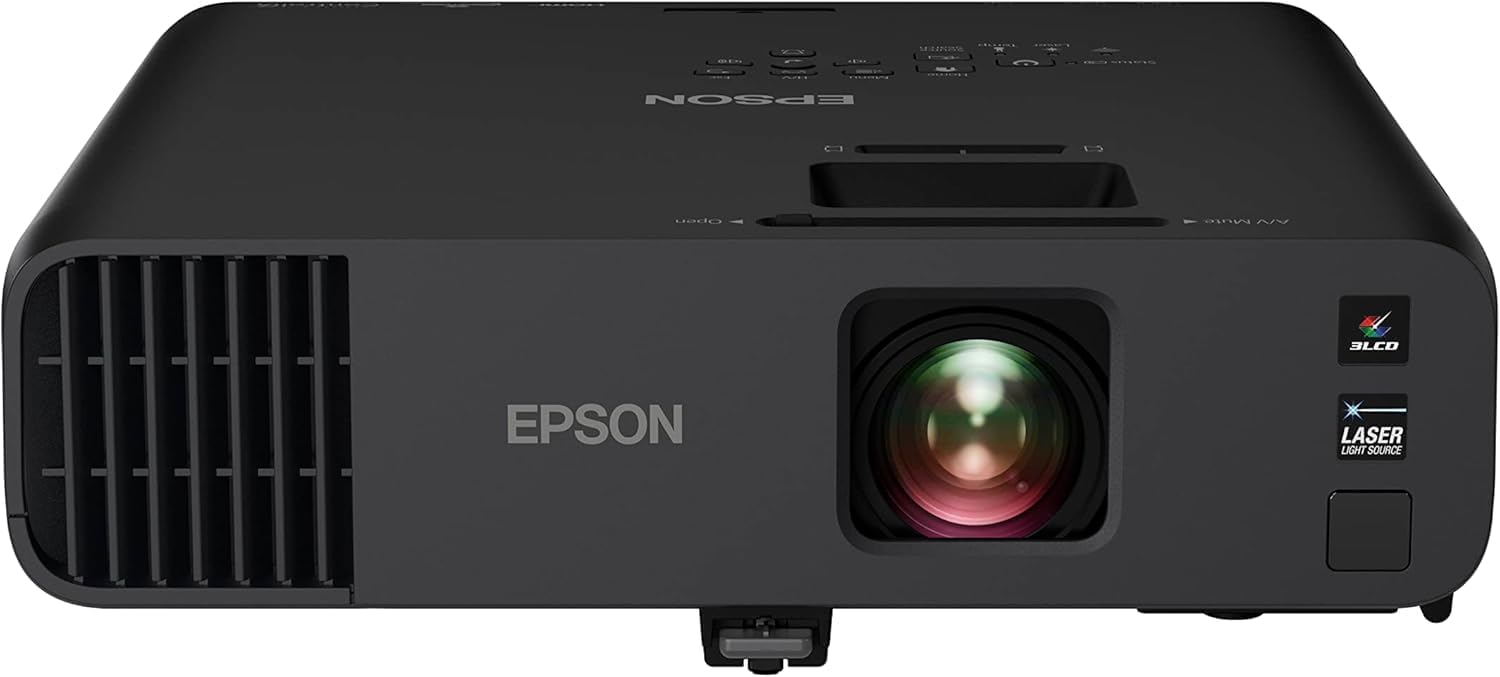 Epson Pro EX11000 Full HD 1080p Wireless Laser
|
9.8/10 | Buy on Amazon | |
| -22% OFF |
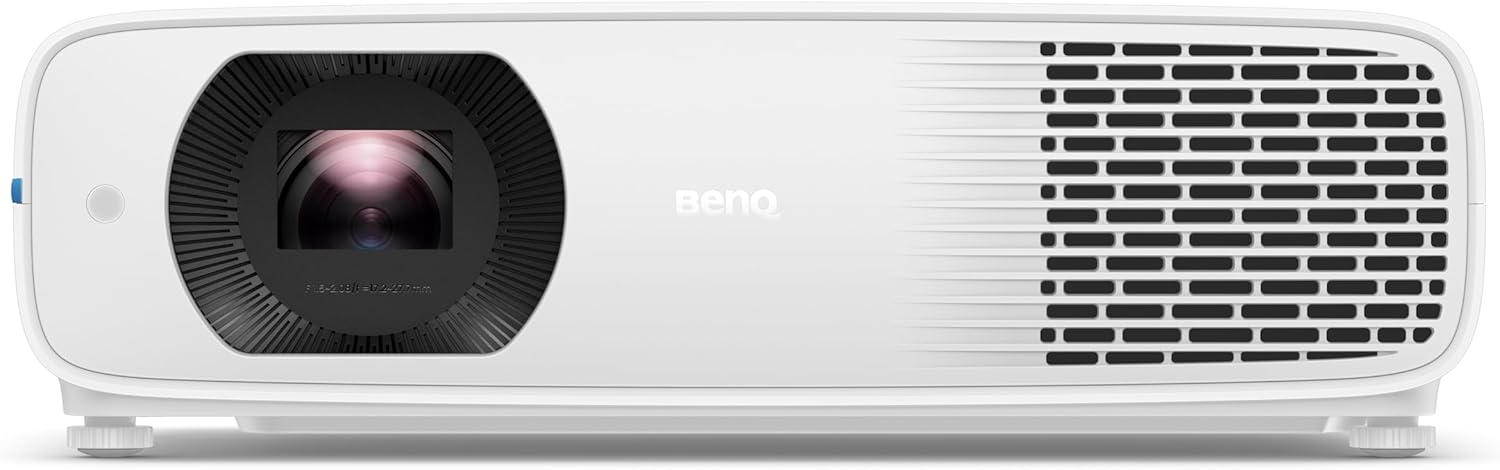 BenQ LH750 1080P Full HD Business LED Projector
|
9.6/10 | Buy on Amazon |
 Optoma ZH521 Full HD 1080p Laser Projector
|
9.6/10 | Buy on Amazon |
Pros
- Long-lasting laser light source reduces maintenance and running costs
- Bright 4000-lumen output suitable for large rooms and daylight conditions
- Accurate color reproduction with 92% Rec.709 coverage
- Convenient auto power-on/off and built-in 10W speaker
- Backed by a 3-year manufacturer warranty
Cons
- Wireless casting requires purchasing an optional dongle separately
- Only WXGA-to-FHD range, no support for 4K native resolution
- Very limited customer review history makes long-term reliability hard to gauge
The BenQ LH650 is a 1080p laser projector aimed at business, education, and even casual home theater use. With 4000 ANSI lumens of brightness, it's built for rooms where ambient light can't always be controlled, making it a practical choice for offices and classrooms rather than dedicated dark-room cinema setups.
What stands out most is the laser light source, rated for up to 20,000 hours, which removes the recurring cost and hassle of lamp replacements found in traditional projectors. Combined with SmartEco technology that can cut power consumption by up to 60%, the LH650 is designed to lower total cost of ownership over time while maintaining consistent image quality.
Color performance is a genuine highlight, with 92% Rec.709 coverage producing accurate, vivid visuals suitable for both data presentations and video content. Setup is also straightforward thanks to auto keystone correction and 2D corner fitting, while USB-C with ALT mode and optional wireless casting add flexibility for connecting laptops, tablets, and smartphones.
On the downside, the wireless casting feature requires purchasing a separate BenQ dongle, which adds to the overall cost, and the projector tops out at Full HD rather than 4K, which may not satisfy users wanting the sharpest possible detail. Build quality feels solid and compact at under 9 pounds, making it reasonably portable for a laser unit.
Overall, the BenQ LH650 is a well-rounded choice for users who prioritize brightness, color accuracy, and low maintenance over ultra-high resolution. It's particularly well suited for business presentations, classrooms, and multipurpose rooms where reliability and ease of use matter more than 4K detail.
The BenQ LH650 features a native resolution of 1920x1080 (Full HD) with support for image sizes ranging from 30 to 150 inches, and a throw distance between 4 and 8.2 feet, making it adaptable to various room sizes.
Connectivity includes HDMI, USB Type-C, Bluetooth, and Wi-Fi readiness (with optional dongle), while the projector supports H.264 and H.265 video encoding for broad media compatibility. It also includes a built-in 10W speaker for standalone audio output.
Weighing 8.6 pounds and measuring roughly 12 x 4.4 x 8.9 inches, the unit is compact enough for desktop or tabletop use. It carries a 3-year manufacturer's warranty and a laser light source rated for 20,000 hours of operation.
Pros
- Very bright 5,000 lumen output handles well-lit rooms with ease
- Long-lasting laser light source reduces maintenance and total cost of ownership
- Flexible setup with optical zoom, keystone correction, and lens shift
- Supports 4K/HDR input despite native 1080p resolution
- Backed by a solid three-year parts and labor warranty
Cons
- Native resolution is 1080p, not true 4K, despite HDMI 2.0b input support
- At 4.5 kg and requiring a dedicated setup, it's less convenient for casual home use
- Premium price point positions it mainly for institutional and business budgets rather than consumers
The ViewSonic LS751HD is a 1080p laser projector aimed squarely at businesses, schools, and other institutions that need dependable, high-brightness projection. With 5,000 ANSI lumens on tap, it's designed to perform in rooms where ambient light would wash out a typical consumer projector, making it a strong fit for boardrooms, lecture halls, and training centers.
The standout feature here is the laser phosphor light source, rated for up to 30,000 hours of use and free of mercury or replaceable lamps. Combined with 1.6x optical zoom, 40-degree horizontal and vertical keystone correction, and vertical lens shift, installers get real flexibility in positioning the unit without sacrificing image alignment. HDMI 2.0b input also allows it to accept 4K and HDR/HLG signals, even though the panel itself is native 1080p.
Build quality reflects its commercial focus: a compact, portable white chassis at 4.5 kg, tabletop mountable, and engineered for 24/7 operation. Network control support through Crestron, AMX, Extron, PJ Link, and ViewSonic's own vController software makes it easy for IT teams to manage remotely at scale, which is a meaningful advantage in multi-room deployments.
The main tradeoffs are that the resolution caps out at 1080p, so it's not a true 4K display despite accepting 4K input, and its size and setup requirements make it less practical for casual home theater use. It's also priced well above typical consumer projectors, reflecting its target market.
Overall, the LS751HD is a well-rounded choice for organizations that need bright, reliable, low-maintenance projection with flexible installation options. It's not built for movie nights at home, but for classrooms, offices, and public presentation spaces, it delivers strong value and long-term reliability.
Native resolution is 1920 x 1080 (1080p) with support for 4K input via HDMI 2.0b, including HDR and HLG compatibility. Brightness is rated at 5,000 ANSI lumens with a contrast ratio of 3,000,000:1 for deep blacks and vivid highlights.
Throw distance ranges from 0.93 to 14.88 meters, supporting image sizes from 30 to 300 inches, which suits both small meeting rooms and large auditoriums. The laser light source is rated for up to 20,000-30,000 hours depending on usage conditions.
Power consumption is rated at 260 watts, and the unit weighs 4.5 kg, making it portable enough for tabletop setups. It ships with a power cord, lens cover, HDMI cable, and instruction sheet, and is backed by a three-year limited warranty on parts and labor plus a one-year lamp warranty.
Pros
- Exceptional 4,600-lumen brightness performs confidently in well-lit rooms without washing out the image
- Laser light source eliminates ongoing lamp replacement costs and downtime over a 20,000-hour lifespan
- 3-Chip 3LCD technology provides superior color accuracy and eliminates the color-wheel rainbow effect common in DLP projectors
- Versatile connectivity with dual HDMI, USB power, Miracast, RJ-45, and RS-232 suits virtually any business setup
- Large 300-inch projection capability makes it ideal for big conference rooms and auditorium-style presentations
Cons
- At nearly 9.5 lbs and a premium price point, this projector is better suited as a semi-permanent installation than a portable travel unit
- Wireless functionality is limited to Miracast only, lacking native Apple AirPlay support found on some competing models
- The higher price compared to lamp-based alternatives may be difficult to justify for light or infrequent users
The Epson Pro EX11000 is a professional-grade Full HD laser projector built specifically for the modern workplace. Designed for conference rooms, training spaces, and large-group presentations, it delivers a 300-inch 1080p image with 4,600 lumens of color and white brightness, making it one of the brightest business projectors in its class. It is best suited for organizations that need reliable, high-quality projection on a daily basis.
The standout feature of this projector is its 20,000-hour laser light source, which effectively eliminates the recurring cost and hassle of lamp replacements. Paired with Epson's 3-Chip 3LCD technology, every frame is rendered using 100% of the RGB color signal, resulting in accurate, vibrant colors without the distracting rainbow effect associated with single-chip DLP projectors. In real-world use, the brightness holds up impressively well even with ambient lighting left on, which is a critical advantage in busy office environments.
Connectivity is a genuine strength of the EX11000. Two HDMI ports, a USB power port for streaming sticks, Miracast wireless mirroring, RJ-45, RS-232, and legacy inputs like RCA and D-Sub make this one of the most versatile projectors available in its category. The built-in 16W speaker is notably powerful for a projector, reducing the need for external audio equipment during meetings and video conferences.
On the downside, the EX11000 is a relatively heavy unit at 9.5 lbs, which makes it less practical for users who need to carry a projector between locations regularly. Apple AirPlay is absent, which may frustrate teams that rely heavily on iOS and macOS devices for wireless sharing. The premium price point also means it requires a clear business case to justify over more affordable lamp-based alternatives.
Overall, the Epson Pro EX11000 is a compelling investment for businesses that prioritize image quality, long-term reliability, and versatile connectivity. Its laser technology, exceptional brightness, and rich feature set make it a top-tier choice for organizations ready to upgrade their presentation infrastructure for the long haul.
Resolution: Full HD 1080p | Brightness: 4,600 lumens color and white (IDMS/ISO rated) | Light Source: Laser, up to 20,000 hours | Technology: 3-Chip 3LCD
Connectivity: 2x HDMI, RCA, D-Sub, RS-232, RJ-45, USB Power (5V-2A) | Wireless: Miracast | Optical Zoom: 1.0x to 1.6x | Vertical Correction: Auto
Built-In Speaker: 16W | Max Screen Size: 300 inches | Dimensions: 12.8 x 11.8 x 4.1 inches | Weight: 9.5 lbs | Warranty: 1-Year Limited
If you are evaluating the Epson Pro EX11000 against other business projectors, the most important factor to consider is your room size and lighting conditions. This projector's 4,600-lumen output is specifically designed for medium to large conference rooms where the lights stay on, giving it a clear edge over lower-lumen competitors in the same lineup.
For organizations planning a long-term installation, the laser light source is a major financial consideration. While the upfront cost is higher than lamp-based models, eliminating bulb replacements over a 20,000-hour lifespan can result in significant savings and reduced IT overhead over time. It is an especially smart choice for high-frequency users such as corporate training centers, universities, or boardrooms.
If wireless connectivity is a priority, confirm that your devices support Miracast before purchasing, as this projector does not include Apple AirPlay. Teams that rely primarily on iPhones and MacBooks may want to consider a streaming stick such as an Apple TV connected via HDMI as a simple workaround. For everyone else, the combination of dual HDMI, USB power for streaming devices, and Miracast covers virtually every modern use case with ease.
Pros
- High rated brightness for daytime and well-lit room use
- Long-life laser light source reduces upkeep
- Flexible installation with zoom and lens shift
- Strong connectivity options for business environments
- Backed by a 3-year warranty
Cons
- One customer reported the projector was not bright enough in practice
- Low overall review count makes real-world reliability hard to confirm
- Premium price point compared to entry-level business projectors
The BenQ LH750 is a 1080P business and education projector built around a 5000-lumen light source, positioning it for use in conference rooms, training centers, and classrooms where ambient light is common. It targets IT departments and facilities teams that need a projector capable of long-term, low-maintenance operation rather than a home theater unit.
On paper, the standout feature is the laser light engine rated for 30,000 hours, which should minimize bulb swaps and service calls over the projector's lifespan. Full HD resolution, a 1.6x zoom lens, and vertical lens shift add practical flexibility for mounting in different room shapes, while HDMI and LAN control support integration into existing AV setups. However, one verified customer review notes the image wasn't bright enough unless the room lights were dimmed, which raises questions about whether the 5000-lumen rating translates fully to real-world brightness.
Build-wise, the LH750 is a fairly compact desktop unit at just over 13 pounds, with a straightforward white housing typical of enterprise projectors. It includes a built-in speaker and remote control, so it can function as a standalone presentation tool without extra AV gear.
The main drawback right now is the thin review history, only three ratings with a 2.8-star average, which makes it difficult to fully validate BenQ's brightness and reliability claims. Buyers in very bright rooms should manage expectations based on the one available user report.
Overall, the LH750 offers a compelling feature set on paper, laser durability, flexible installation, and solid connectivity, making it a reasonable pick for offices and schools prioritizing low upkeep. Just be aware that actual brightness performance may vary from the spec sheet, so it's worth confirming return policies before committing.
Native resolution is 1920 x 1080 (Full HD), with DLP display technology and a contrast ratio rated at 500,000:1 for deep blacks and clear detail in presentations.
Throw distance ranges from 4 to 8.2 feet, supporting a fixed image size of 150 inches, which suits most standard meeting rooms and classrooms without needing a long-throw setup.
Connectivity includes HDMI and LAN control, and the unit supports 3D and HDR10 content alongside dedicated Infographic, Presentation, and Vivid picture modes for different use cases.
The projector weighs 13.2 pounds and measures 16.54 x 11.29 x 5.19 inches, making it a manageable tabletop unit backed by a 3-year manufacturer's warranty.
Pros
- Bright enough for well-lit classrooms and offices without dimming lights
- Long-life laser reduces maintenance costs and downtime
- Flexible installation options with zoom and geometric correction
- Strong connectivity suite for business and education AV systems
- Backed by a solid 3-year warranty plus 5-year light source coverage
Cons
- No listed customer reviews yet, so real-world reliability data is limited
- Fixed throw distance range may limit placement flexibility in smaller or larger rooms
- Price point is higher than typical home entertainment projectors, better suited for business budgets
The Optoma ZH521 is a Full HD 1080p laser projector designed primarily for classrooms, meeting rooms, and professional AV setups, though it can double as a bright home theater unit. With 5,500 lumens of output, it's built to handle spaces where controlling ambient light isn't always possible.
The standout feature here is the DuraCore laser engine, rated for up to 30,000 hours of maintenance-free operation. Combined with a 1.3x zoom lens and four-corner geometric correction, installers get real flexibility when mounting the unit in different room configurations, including portrait or 360-degree orientations.
Build quality reflects its business-first design: a compact 10.8 x 4.5 x 8.5 inch chassis weighing 6.4 pounds, with support for tabletop, wall, or floor mounting. Connectivity is comprehensive, featuring dual HDMI 2.0, VGA, LAN, RS232, and USB ports, making it easy to integrate into existing AV or classroom control systems.
One tradeoff is the fixed throw distance of 32.8 feet, which may not suit very small rooms without careful planning. There are also no user reviews yet, so buyers are relying on spec sheets and brand reputation rather than field-tested feedback.
Overall, the ZH521 is a well-equipped, low-maintenance projector aimed at schools, offices, and training facilities that need dependable brightness and centralized management through Optoma's OMS platform. It's less about home theater flair and more about consistent, hassle-free performance in professional environments.
The ZH521 features a native resolution of 1920 x 1080 (Full HD) with a maximum brightness of 5,500 ANSI lumens, making it suitable for rooms with moderate to high ambient light.
Its DuraCore laser light source is rated for up to 30,000 hours, and Optoma backs the unit with a 3-year limited parts and labor warranty plus a 5-year or 12,000-hour light source warranty, whichever comes first.
Connectivity includes dual HDMI 2.0 inputs, VGA, LAN, RS232, and USB, along with support for Miracast via the included Wi-Fi adapter. The projector measures 10.8 x 4.5 x 8.5 inches and weighs 6.4 pounds, making it easy to transport or permanently mount.
Essential Buying Guide for Laser Business Projectors
Brightness and Ambient Light Rejection
Lumens determine how well your image cuts through room lighting. For typical office or classroom environments with some ambient light, look for a minimum of 4000 lumens. Higher brightness, like the 5500 lumens offered by the Optoma ZH521, ensures vivid visuals even with lights on. This is essential for maintaining audience engagement during daytime presentations. Consider your specific room conditions when evaluating this spec.
Laser Light Source and Longevity
The core advantage of laser projectors is their exceptional lifespan and consistent performance. Traditional lamp projectors require frequent, costly replacements. Laser light sources, like those in the models reviewed, offer 20,000 to 30,000 hours of operation. This translates to years of maintenance-free use, drastically reducing your total cost of ownership and minimizing downtime for your business or school.
Connectivity and Wireless Capabilities
Modern presentations require flexible connectivity. Essential ports include multiple HDMI inputs for laptops and media players. Look for USB-C with power delivery for streamlined laptop connections, as seen on the BenQ LH650. Wireless projection via Miracast or optional dongles is now a standard expectation. It allows presenters to share content effortlessly from their devices without cable clutter. For more on versatile projectors, see our list of the best business projectors under $500 with Wi-Fi.
Installation Flexibility and Setup Ease
Not every room is perfectly suited for a projector. Key features like optical zoom, lens shift, and keystone correction are vital for flexible placement. Optical zoom allows you to adjust image size without moving the projector physically. Vertical lens shift and digital corner fit, available on models like the ViewSonic LS751HD, help you achieve a perfectly rectangular image even when the projector is off-center. This saves significant time during installation.
Final Thoughts
After a thorough evaluation of the current market, we can confidently recommend two standout models for different professional needs. For organizations prioritizing vibrant color accuracy and smart energy savings, the BenQ LH650 Business Projector Laser 1080p 4000 is an excellent choice with its Rec.709 color coverage and USB-C connectivity. Conversely, for environments requiring maximum brightness and advanced remote management, such as large lecture halls or multi-room deployments, the Optoma ZH521 – Full HD 1080P, 5,500 Lumens, Laser with its Optoma Management Suite offers powerful, centralized control. Either selection will provide the reliability and performance your professional setting demands.
Frequently Asked Questions
Are laser business projectors worth the investment?
Absolutely. While the initial cost can be higher than lamp-based models, the long-term savings are substantial. You eliminate the recurring cost and labor of lamp replacements. Laser projectors also maintain consistent brightness and color output throughout their incredibly long lifespan, which can exceed a decade of normal use. This reliability is critical for business continuity and educational consistency.
What is the main difference between laser and LED projectors for business?
Both are solid-state light sources with long lives, but they differ in key areas. Laser projectors, like the BenQ LH750, typically deliver significantly higher peak brightness, making them better suited for large, well-lit rooms. LED projectors often excel in color gamut and instant on/off capability but may not reach the same lumen levels. For most professional environments requiring high brightness, laser is the preferred technology.
Can I use a laser business projector for video conferencing?
Yes, and they are excellent for this purpose. Models like the Epson Pro EX11000 are specifically designed with features to enhance video calls. High brightness ensures participants are clearly visible, even with ambient light from windows. Wireless screen mirroring via Miracast allows you to easily share presentation content alongside the video feed. For dedicated conference room setups, you might also consider specialized conference room projectors.
How do I choose between 1080p and 4K for a business projector?
For the vast majority of business and educational applications, Full HD 1080p resolution is perfectly sufficient. It displays spreadsheets, slides, and video with excellent clarity. A 4K projector is generally an unnecessary expense unless you are regularly displaying extremely fine details, complex engineering diagrams, or using the projector for high-end media production. The 1080p models reviewed here provide outstanding value and performance for professional use in 2026.




Write Your Review
No reviews yet. Be the first to share your experience!