

You’ve chosen the perfect launch monitor and software, but your golf simulator setup still feels incomplete. The final, crucial piece is the projector, responsible for bringing those lush virtual fairways and crisp data overlays to life. A subpar image can ruin the immersion, making even the best simulator software feel lackluster. This guide is for golfers who demand a bright, clear, and reliable visual experience for their home simulator, focusing specifically on modern laser projectors that offer long life and consistent performance.
We have evaluated six leading models from trusted brands like ViewSonic, Optoma, and BenQ to help you find the ideal match. For a broader look at options, you can explore our guide on the best 4K golf simulator projectors under $2000. Our selection criteria prioritized brightness for lights-on play, resolution for detail, specialized golf modes, and installation flexibility to fit various room sizes.
| Pick | Product | AI Score | Buy |
|---|---|---|---|
 ViewSonic LS741HD 5000-Lumen 1080p Laser Projector
|
9.9/10 | Buy on Amazon | |
 Optoma GT2400HDR Short Throw Laser Projector
|
9.8/10 | Buy on Amazon | |
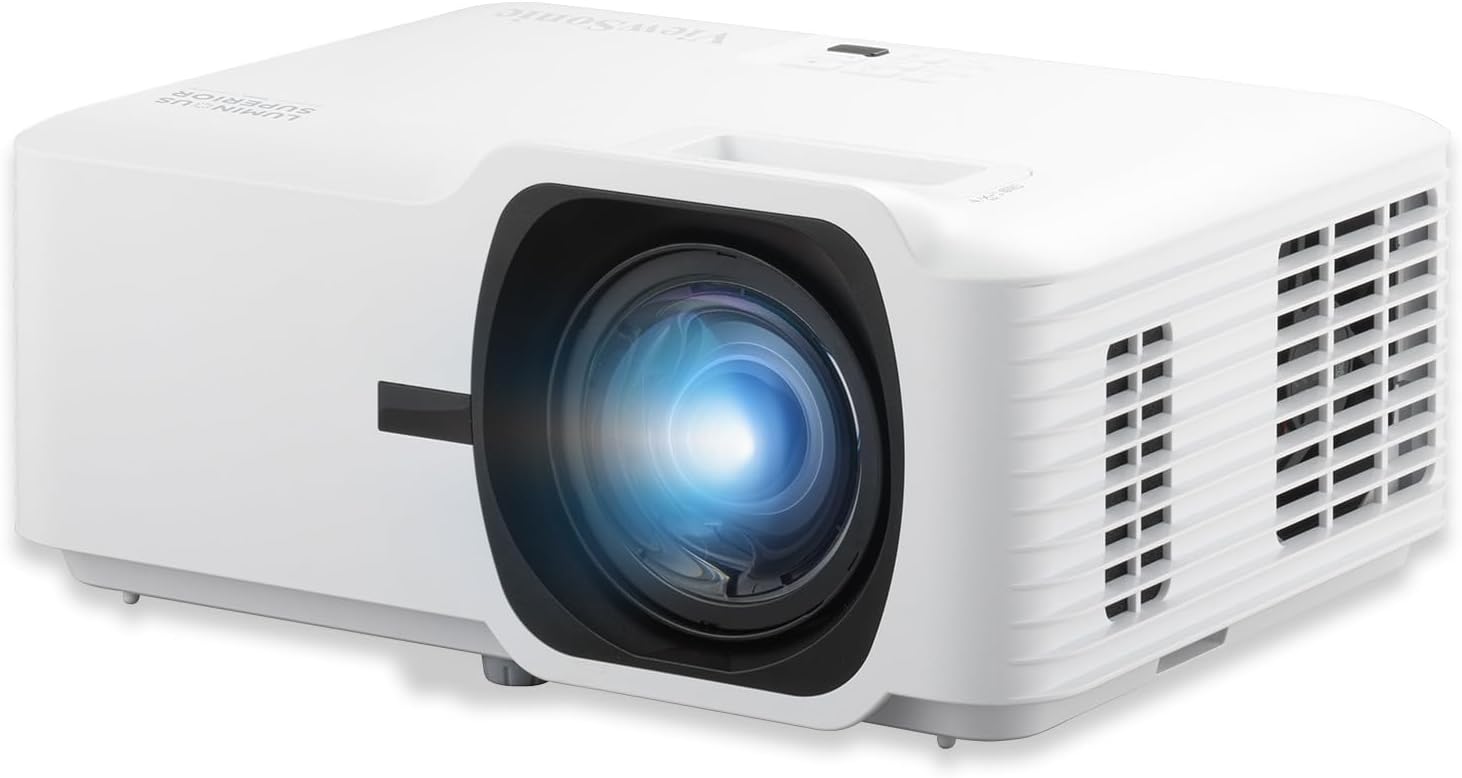 ViewSonic LS711HD 4200 Lumens 1080p Laser
|
9.4/10 | Buy on Amazon | |
| -25% OFF |
 ViewSonic LX700-4K Laser Projector - 3500 Lumens
|
9.5/10 | Buy on Amazon |
 BenQ LU710 Golf Simulator Laser Projector
|
9.7/10 | Buy on Amazon | |
|
Optoma GT3900UHD True 4K UHD Short Throw Laser
|
9.6/10 | Buy on Amazon |
Pros
- Exceptionally bright output, noticeably brighter than lower-lumen competitors according to real users
- Laser light source means no lamp replacements and long-term reliability for 24/7 use
- Extensive image adjustment options (zoom, keystone, 4-corner, 360-degree) simplify professional installs
- Strong network control features make it IT-friendly for schools and businesses
- Consistently high customer satisfaction, especially for church and classroom use
Cons
- Keystone adjustment is manual, not motorized, which is inconvenient for setups that need frequent repositioning
- Native 1080p resolution may not satisfy users seeking 4K clarity
- At 6.6 lbs and designed for ceiling mounting, it's less ideal for casual or portable use
The ViewSonic LS741HD is a laser-powered 1080p projector designed for professional and educational environments where brightness and reliability matter most. With 5,000 ANSI lumens, it's built for boardrooms, lecture halls, auditoriums, and houses of worship that deal with high ambient light.
Real-world feedback confirms its standout brightness, with one reviewer measuring it at 2.5 to 3 times brighter than a 1500-lumen unit. Churches and classrooms report crisp, vivid images even on large 100-inch screens, and the laser light source means no lamp swaps for up to 30,000 hours of use.
Setup flexibility is a major strength, with 1.6x optical zoom, horizontal/vertical keystone, 4-corner adjustment, and 360-degree projection support. However, the keystone correction is manual rather than automatic, which some users note makes repeated setup and teardown less convenient for temporary installations.
Build quality is solid and compact for a projector in this brightness class, weighing 6.6 pounds and supporting professional ceiling mounts. Network-savvy features like LAN control via Crestron, AMX, and PJ Link add real value for IT departments managing multiple units remotely.
Overall, the LS741HD is an excellent choice for permanent or semi-permanent installations that demand high brightness and dependable performance, though buyers wanting 4K resolution or fully automated setup should look elsewhere. For bright rooms and large-screen 1080p presentations, it delivers outstanding value and consistent praise from real users.
Choose the ViewSonic LS741HD if you need a projector for a large, brightly lit space such as a classroom, boardroom, or sanctuary where image clarity can't be compromised by ambient light.
This model is best suited for fixed or ceiling-mounted installations rather than frequent transport, since the manual keystone adjustment requires extra setup time each use.
If your priority is ultra-high resolution or 4K detail, consider ViewSonic's 4K variant instead, as this unit focuses on brightness and reliability over pixel density.
For IT-managed environments, the built-in LAN control support makes this projector a smart pick for institutions needing centralized, remote management across multiple rooms or campuses.
Pros
- Excellent brightness for a short throw laser projector, usable with some ambient light
- Very low input lag makes it genuinely competitive for gaming, not just marketed as such
- Laser light source eliminates recurring lamp costs and offers instant on/off
- Compact footprint and short throw lens make placement easy in small rooms or golf sim bays
- Strong warranty coverage with 5-year or 12,000-hour light source protection
Cons
- Native resolution is 1080p, not true 4K, despite accepting 4K input signals
- Connectivity leans on HDMI and RCA, lacking newer wireless casting or smart platform integration
- At this price point, buyers expecting native 4K sharpness may be disappointed
The Optoma GT2400HDR is a short throw laser projector aimed at two very specific buyers: home theater fans working with limited space, and golf simulator enthusiasts who need a big, bright image from a short distance. Its 0.496:1 throw ratio lets it fill a large screen while sitting just a few feet away, making it a practical fit for garages, basements, and media rooms where a traditional long-throw projector wouldn't work.
Brightness is the standout spec here. At 4,200 ISO lumens, the GT2400HDR holds up better than most home projectors when there's some ambient light in the room, which matters for golf sims and daytime viewing. Gamers get a real functional benefit too, with an 8.4ms input lag at 1080p120Hz in Enhanced Gaming Mode, a number that competes with dedicated gaming monitors rather than typical projectors.
Build quality centers around Optoma's DuraCore laser light source, rated for 30,000 hours in eco mode. This translates to years of use without swapping lamps, plus instant on/off and consistent brightness over time. The compact desktop form factor, at just under 9.5 pounds, supports flexible tabletop, wall, or ceiling mounting.
The main tradeoff is resolution. While the projector accepts 4K HDR10 and HLG signals, its native panel is Full HD 1080p, so it's not delivering true 4K sharpness. Connectivity is also fairly basic, relying on dual HDMI and RCA rather than modern wireless streaming options, so users will likely pair it with an external streaming device.
Overall, the GT2400HDR earns its place as a specialized tool rather than an all-purpose projector. It's a smart buy for anyone prioritizing brightness, low latency gaming, and short throw flexibility, particularly golf sim builders and space-constrained home theater setups, but 4K purists may want to look elsewhere.
Pros
- Genuine ultra short throw design saves floor space
- Lamp-free laser engine means no bulb replacement costs for years
- Flexible mounting with 360° projection and portrait mode
- Instant power on/off, no waiting around
- Reviewers confirm crisp, bright image quality, especially for golf simulator use
Cons
- One reviewer noted brightness fell short of expectations in fully lit rooms
- Best image quality still requires dimmed lighting despite the 4,200 lumen rating
- Unit is on the heavier side, which may complicate ceiling mounting
The ViewSonic LS711HD is a laser-powered short throw projector aimed at classrooms, offices, home theaters, and increasingly popular golf simulator setups. Its 0.49 throw ratio lets it throw a 100-inch image from just 3.6 feet away, making it a strong pick for anyone working with limited room depth.
The standout feature here is the laser phosphor light source, rated for 30,000 hours, which eliminates lamp replacement costs and offers instant on/off with no warm-up delay. Reviewers specifically praised its performance in golf simulator setups, noting a bright, clear image and accurate color for greens and blues once properly dialed in with the keystone and 4-corner adjustment tools.
Build quality feels substantial, users describe it as heavy and solidly made, which is reassuring for permanent installs but worth noting if you're planning a ceiling mount. The 360-degree projection and portrait mode add real flexibility for unconventional installations, whether that's a rear-projection event screen or a mounted classroom display.
The main drawback flagged by owners is that the 4,200 lumen brightness, while solid on paper, isn't a substitute for a properly darkened room. In bright ambient light, image quality and contrast take a hit, so this isn't the projector for sunlit rooms without shades.
Overall, the LS711HD is a well-rounded short throw laser projector for buyers who value space-saving installation, low maintenance, and setup flexibility over raw brightness. It's particularly compelling for golf simulator enthusiasts and small classroom or office environments where a big picture in a small footprint matters most.
Native resolution is Full HD 1920x1080, powered by 3rd generation laser phosphor technology rated for 4,200 ANSI lumens and a 3,000,000:1 contrast ratio. The light source is rated for up to 30,000 hours of operation, effectively removing the need for lamp replacements.
Throw distance ranges from 1.2ft to 10.8ft, supporting image sizes from 35 inches up to 300 inches, with the sweet spot being a 100-inch image from 3.6ft. Connectivity includes HDMI, USB 2.0 Type-A, and a 3.5mm audio jack, with H.264 and H.265 video decoding support.
The unit runs on 210 watts (240-watt lamp spec) at 240 volts, weighs in as a desktop form factor projector compatible with ceiling mounts, including the ViewSonic PJ-WMK-305. It ships with a power cord, remote control, and user manual, backed by a three-year parts and labor warranty plus a one-year lamp warranty.
Pros
- Extremely low input lag and high refresh rate ideal for gaming
- Bright enough to use with some ambient light in the room
- Long-lasting laser light source with minimal maintenance
- Versatile mounting and adjustment options including 360-degree projection
- Strong warranty coverage with three years on parts and labor
Cons
- Higher price point compared to standard home theater projectors
- USB connectivity limited to USB-A 2.0, lacking newer USB-C options
- Gaming-focused feature set may be overkill for buyers wanting a pure cinema projector
The ViewSonic LX700-4K is a 4K laser projector purpose-built for gamers, developed in partnership with Microsoft as an officially "Designed for Xbox" device. It's aimed squarely at console and PC gamers who want a massive screen without giving up the responsiveness expected from a proper gaming display, while still doubling as a capable home theater unit.
Pros
- Bright, color-accurate laser image well-suited for golf simulation
- Long-lasting laser engine with minimal maintenance needs
- Flexible throw ratio and keystone correction simplify installation
- Sturdy dustproof design built for continuous use
Cons
- Heavier unit that can be difficult to align during mounting
- At least one reported unit arrived with a defective fan
- Low overall customer rating suggests inconsistent quality control
The BenQ LU710 is a laser projector purpose-built for golf simulator environments, though it also fits business presentation setups. It's aimed at golf sim owners and installers who need a bright, high-resolution image with flexible mounting options in confined spaces.
Its standout feature is the laser light source, providing 4000 lumens of brightness alongside a WUXGA 1920x1200 resolution that gives a taller, more immersive display than standard 1080p projectors. The 1.13-1.46 throw ratio and ±30° 2D keystone with Corner Fit make it adaptable to tricky ceiling or wall mounts common in simulator bays.
Build quality leans toward the rugged and functional, with an IP5X dustproof sealed engine designed for long-term reliability in enclosed spaces. However, one reviewer noted the unit is notably heavy, making precise alignment during mounting more challenging than expected.
On the downside, customer feedback is mixed, with one buyer receiving a unit with a non-functioning fan straight out of the box, and difficulty finding support for a return. This raises some concern about consistency in quality control despite the projector's strong on-paper specifications.
Overall, the BenQ LU710 offers genuinely impressive image quality and simulator-friendly features for those who get a properly working unit, but the reported reliability issues mean buyers should factor in the 3-year warranty and be prepared to address potential hardware faults early on.
Pros
- True 4K UHD resolution with HDR support for sharp, vibrant visuals
- Short throw lens saves space and suits golf simulator installations
- Bright 4,000 lumen output performs well in rooms with ambient light
- Low input lag and high refresh rate support make it gaming-friendly
- Laser light source eliminates the need for lamp replacements
Cons
- Premium price point compared to standard throw or lamp-based projectors
- Short throw lens placement requires precise setup for optimal image alignment
- No user reviews yet, so real-world reliability and performance feedback is limited
The Optoma GT3900UHD is a True 4K UHD laser projector designed specifically for golf simulators, home theaters, and gaming setups where space is limited. Its short throw lens allows it to sit close to the screen while still producing a large image, making it a practical choice for enthusiasts who want a big-screen experience without dedicating a large room to a traditional long-throw setup.
The standout feature here is the combination of True 4K UHD resolution, HDR compatibility, and 4,000 lumens of brightness. This trio means the projector can produce sharp, colorful images even in rooms that aren't fully darkened, which is a common requirement for golf simulator bays and multi-use entertainment spaces. Gamers will also appreciate the low input lag specs, supporting 1080p at 240Hz and 4K at 60Hz for smooth, responsive gameplay on consoles and PCs.
Build quality centers around Optoma's DuraCore laser light engine, rated for up to 30,000 hours of use. This effectively removes the recurring cost and hassle of lamp replacements, making the projector a lower-maintenance long-term investment compared to bulb-based alternatives. The 0.496:1 short throw ratio is engineered to keep the unit out of the swing path in golf simulator setups, minimizing shadow interference during play.
On the downside, short throw projectors generally demand more careful mounting and calibration to achieve a perfectly aligned image, so setup may take longer than with standard throw models. The price also sits at a premium tier, and since this listing currently has no customer reviews, buyers are relying on spec sheets and brand reputation rather than field-tested feedback.
Overall, the GT3900UHD looks like a well-specced choice for anyone building a golf simulator room, a compact home theater, or a gaming space where a long throw distance simply isn't available. Buyers who prioritize 4K sharpness, brightness in lit rooms, and low-maintenance laser technology should find this projector a compelling fit, provided they're comfortable with the setup precision short throw units require.
What to Look for in a Golf Simulator Projector
Brightness and Ambient Light Rejection
Lumens are critical for a golf simulator. You need enough brightness to overcome ambient light from windows or room lighting, ensuring the image remains vivid and the ball flight data is easily readable. All projectors in this guide offer high brightness, typically measured in ANSI or ISO lumens, which is essential for maintaining image quality without requiring a completely dark room.
Resolution and Image Quality
The resolution defines the clarity of the image. Full HD (1080p) is the standard for sharp, detailed course visuals, while 4K UHD models provide exceptional detail for an ultra-realistic experience. Look for features like HDR compatibility and high color accuracy, which enhance the depth and realism of greens, skies, and shadows on the virtual course.
Specialized Golf Simulation modes, offered by many models, are calibrated to optimize these specific colors. If you are working with a tighter space, a short throw design is invaluable, and we have a dedicated resource on the best short throw golf simulator projectors under $800.
Throw Ratio and Installation Flexibility
The throw ratio determines how far the projector needs to be from the screen to create a certain image size. A short throw ratio is a major advantage for golf simulators, allowing you to place the projector closer to the screen and safely out of the swing path. This minimizes shadows and makes efficient use of limited space.
Features like optical zoom, keystone correction, and four-corner adjustment are essential for achieving a perfectly squared image regardless of your projector’s placement, whether it’s ceiling-mounted or on a table. For more compact budget options, consider our review of the best golf simulator projectors under $800.
Laser Light Source and Longevity
Laser projectors are preferred for simulator use due to their maintenance-free operation and long lifespan, often rated for 20,000 to 30,000 hours. Unlike traditional lamp-based models, they offer instant on/off functionality, consistent brightness over time, and no risk of a lamp bursting mid-session. This reliability is key for a setup you plan to use frequently.
Final Thoughts
Choosing the right laser projector transforms your golf simulator from a technical setup into a truly immersive experience. For golfers seeking the pinnacle of detail and future-proofing, the Optoma GT3900UHD – True 4K UHD, 4,000 Lumens with its true 4K resolution and short throw design is an outstanding choice. If your priority is maximizing brightness and value within a Full HD format, the ViewSonic LS741HD 5000 Lumens 1080p Laser delivers exceptional lumens and a dedicated golf mode, ensuring a brilliant image even in challenging lighting conditions.
Frequently Asked Questions
Is 1080p resolution sufficient for a golf simulator?
Yes, Full HD (1080p) resolution is more than sufficient for a highly detailed and enjoyable golf simulator experience. It provides clear course graphics and readable data. While 4K offers sharper detail, 1080p remains the standard for a great balance of performance and value in 2026.
Why is a short throw projector recommended for golf simulators?
A short throw projector can be placed very close to the impact screen. This placement keeps the projector safely behind the hitting area, eliminates the chance of casting a shadow during your swing, and is ideal for rooms with limited depth. You can find more focused recommendations in our guide to the best short throw golf simulator projectors under $500.
How important is input lag for a golf simulator projector?
While critical for fast-paced video games, input lag is generally less of a concern for golf simulation. The visual feedback from your shot is not as time-sensitive. However, a projector with a dedicated low-lag gaming mode can provide a slightly more responsive feel, which some users may prefer.
Can I use a standard home theater projector for my golf simulator?
You can, but it may not be ideal. Dedicated golf or business-class projectors often have higher brightness to combat ambient light, more robust construction, and longer-life laser sources better suited for frequent, extended use. They are designed for the specific demands of a simulator environment.


Write Your Review
No reviews yet. Be the first to share your experience!