

Finding the perfect projector for your living room can feel daunting. You want a cinematic experience without the hassle of complex installations, shadows on the screen, or distorted images. An ultra short throw projector solves many of these problems, especially in tight spaces. But what truly makes a projector versatile is its ability to correct the image placement. That’s where digital keystone correction becomes essential, allowing you to achieve a perfectly rectangular picture from an off-center position.
This article focuses on projectors that excel in this feature, ensuring you can set up your home theater almost anywhere. We’ve reviewed six models from trusted brands to help you make an informed decision. If you’re also interested in projectors specifically designed for easy screen fit, you can explore our guide on the best models with screen fit capabilities.
| Pick | Product | AI Score | Buy |
|---|---|---|---|
 Epson EpiqVision Ultra LS500 4K PRO-UHD Laser
|
9.8/10 | Buy on Amazon | |
| Prime |
 Optoma GT2400HDR Short Throw Laser Projector
|
9.6/10 | Buy on Amazon |
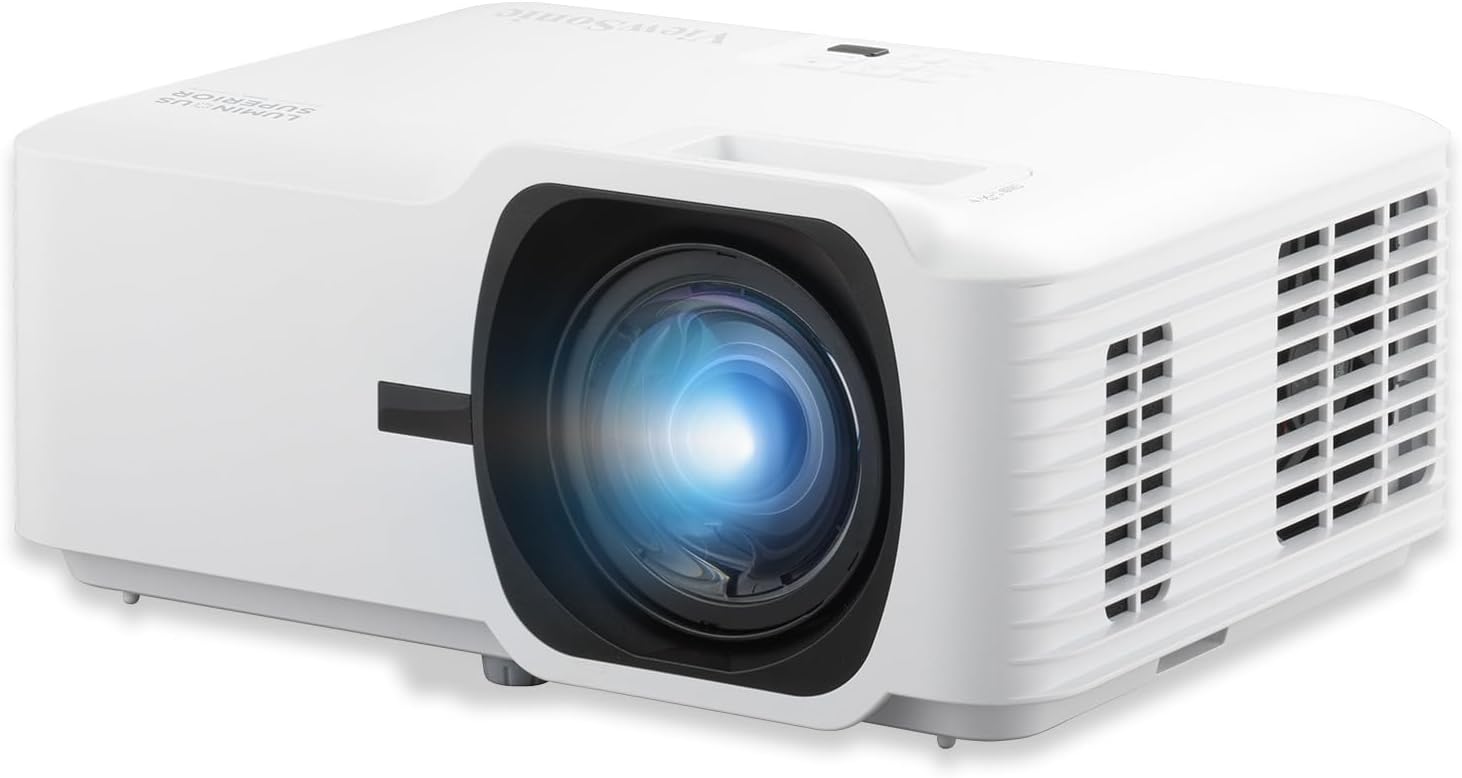 ViewSonic LS711HD 4200 Lumens 1080p Laser
|
9.5/10 | Buy on Amazon | |
 BenQ X500i True 4K HDR Short Throw
|
9.5/10 | Buy on Amazon | |
| Prime |
 Epson EpiqVision Ultra LS300 Ultra Short Throw
|
9.5/10 | Buy on Amazon |
| -8% OFF |
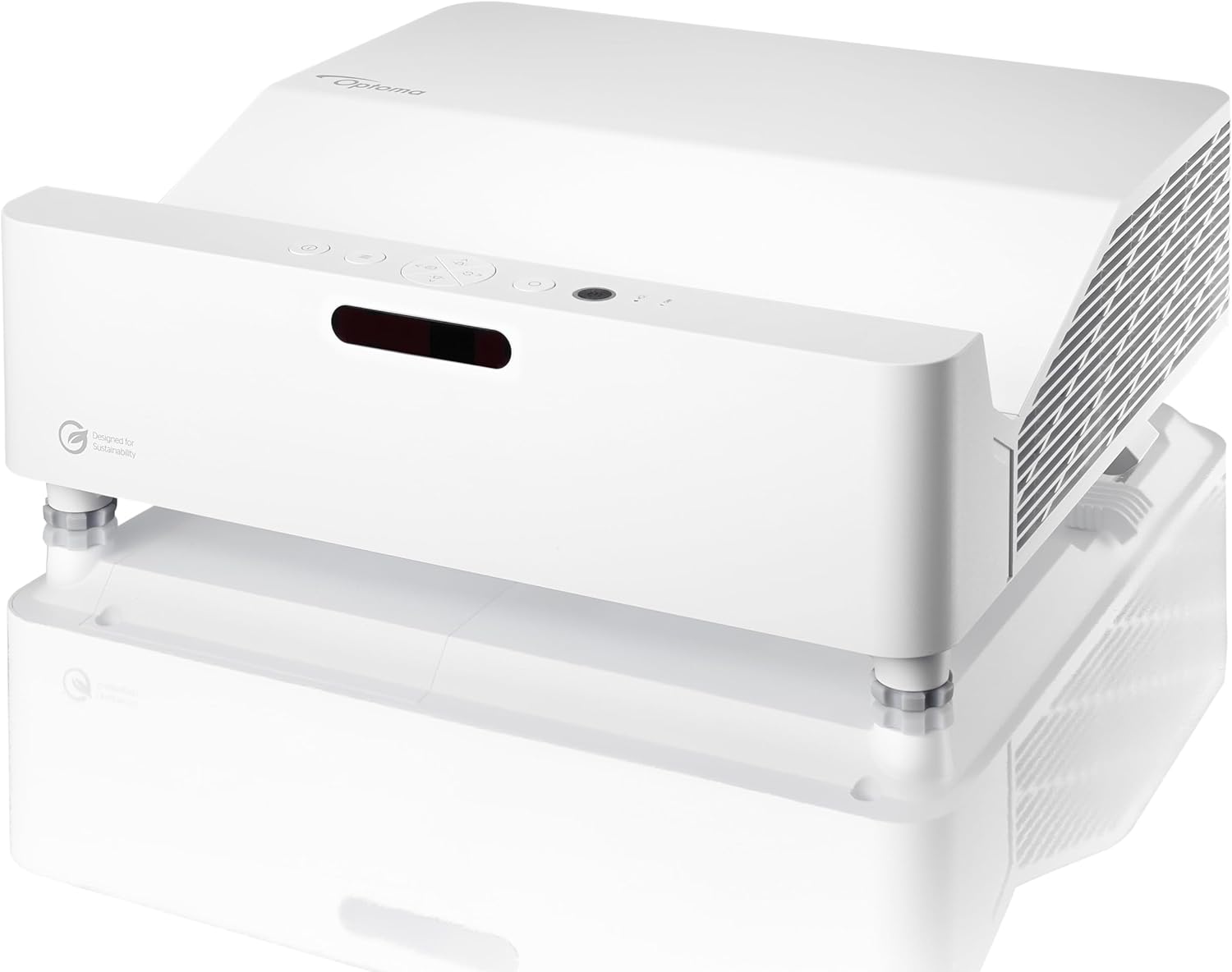 Optoma GT3500HDR Ultra Short Throw Laser
|
9.2/10 | Buy on Amazon |
Pros
- Exceptionally bright picture that holds up well in daylight, unlike older UST projectors
- Sharp, vivid 4K image quality with strong color accuracy and deep blacks
- Simple placement inches from the wall, no complicated mounting or wiring
- Long-lasting laser light source reduces maintenance over time
- Built-in Android TV makes streaming setup effortless
Cons
- The protruding lens on top is a noted weak point that requires careful handling during transport
- As a renewed unit, cosmetic wear or prior use may be present despite testing
- Premium price point even in renewed condition compared to standard projectors
The Epson EpiqVision Ultra LS500 is an ultra-short throw laser projector built for buyers who want a massive, cinema-like picture without the hassle of ceiling mounts or long cable runs. It's aimed squarely at home theater enthusiasts, gamers, and anyone looking to replace a traditional TV with a screen up to 130 inches.
What stands out most is its brightness. At 4000 lumens of both color and white output, the LS500 handles ambient light far better than typical projectors, including older ultra-short throw models. Reviewers specifically note that daytime viewing, usually a weak spot for projectors, remains clear and watchable even with light entering the room.
Picture quality benefits from Epson's 4K PRO-UHD 3LCD technology and 10-bit HDR processing, producing vivid colors and deep blacks with a claimed contrast ratio of 2,000,000:1. Combined with built-in Android TV and Google Assistant, the projector functions as a self-contained entertainment hub without needing extra streaming devices.
On the design side, the ultra-short throw form factor sits just inches from the wall, making installation far simpler than traditional projectors. One reviewer flagged the protruding lens on top as a fragile point during transport, so care is needed when moving or shipping the unit.
Overall, this renewed LS500 offers a compelling mix of brightness, sharpness, and smart features at a lower cost than buying new, backed by Epson's certified refurbishment process and a 2-year warranty. It's a strong pick for anyone wanting a big-screen, laser-powered home theater setup without the ceiling-mount hassle.
Pros
- Excellent brightness for a short throw laser projector, usable with some ambient light
- Very low input lag makes it genuinely competitive for gaming, not just marketed as such
- Laser light source eliminates recurring lamp costs and offers instant on/off
- Compact footprint and short throw lens make placement easy in small rooms or golf sim bays
- Strong warranty coverage with 5-year or 12,000-hour light source protection
Cons
- Native resolution is 1080p, not true 4K, despite accepting 4K input signals
- Connectivity leans on HDMI and RCA, lacking newer wireless casting or smart platform integration
- At this price point, buyers expecting native 4K sharpness may be disappointed
The Optoma GT2400HDR is a short throw laser projector aimed at two very specific buyers: home theater fans working with limited space, and golf simulator enthusiasts who need a big, bright image from a short distance. Its 0.496:1 throw ratio lets it fill a large screen while sitting just a few feet away, making it a practical fit for garages, basements, and media rooms where a traditional long-throw projector wouldn't work.
Brightness is the standout spec here. At 4,200 ISO lumens, the GT2400HDR holds up better than most home projectors when there's some ambient light in the room, which matters for golf sims and daytime viewing. Gamers get a real functional benefit too, with an 8.4ms input lag at 1080p120Hz in Enhanced Gaming Mode, a number that competes with dedicated gaming monitors rather than typical projectors.
Build quality centers around Optoma's DuraCore laser light source, rated for 30,000 hours in eco mode. This translates to years of use without swapping lamps, plus instant on/off and consistent brightness over time. The compact desktop form factor, at just under 9.5 pounds, supports flexible tabletop, wall, or ceiling mounting.
The main tradeoff is resolution. While the projector accepts 4K HDR10 and HLG signals, its native panel is Full HD 1080p, so it's not delivering true 4K sharpness. Connectivity is also fairly basic, relying on dual HDMI and RCA rather than modern wireless streaming options, so users will likely pair it with an external streaming device.
Overall, the GT2400HDR earns its place as a specialized tool rather than an all-purpose projector. It's a smart buy for anyone prioritizing brightness, low latency gaming, and short throw flexibility, particularly golf sim builders and space-constrained home theater setups, but 4K purists may want to look elsewhere.
Pros
- Genuine ultra short throw design saves floor space
- Lamp-free laser engine means no bulb replacement costs for years
- Flexible mounting with 360° projection and portrait mode
- Instant power on/off, no waiting around
- Reviewers confirm crisp, bright image quality, especially for golf simulator use
Cons
- One reviewer noted brightness fell short of expectations in fully lit rooms
- Best image quality still requires dimmed lighting despite the 4,200 lumen rating
- Unit is on the heavier side, which may complicate ceiling mounting
The ViewSonic LS711HD is a laser-powered short throw projector aimed at classrooms, offices, home theaters, and increasingly popular golf simulator setups. Its 0.49 throw ratio lets it throw a 100-inch image from just 3.6 feet away, making it a strong pick for anyone working with limited room depth.
The standout feature here is the laser phosphor light source, rated for 30,000 hours, which eliminates lamp replacement costs and offers instant on/off with no warm-up delay. Reviewers specifically praised its performance in golf simulator setups, noting a bright, clear image and accurate color for greens and blues once properly dialed in with the keystone and 4-corner adjustment tools.
Build quality feels substantial, users describe it as heavy and solidly made, which is reassuring for permanent installs but worth noting if you're planning a ceiling mount. The 360-degree projection and portrait mode add real flexibility for unconventional installations, whether that's a rear-projection event screen or a mounted classroom display.
The main drawback flagged by owners is that the 4,200 lumen brightness, while solid on paper, isn't a substitute for a properly darkened room. In bright ambient light, image quality and contrast take a hit, so this isn't the projector for sunlit rooms without shades.
Overall, the LS711HD is a well-rounded short throw laser projector for buyers who value space-saving installation, low maintenance, and setup flexibility over raw brightness. It's particularly compelling for golf simulator enthusiasts and small classroom or office environments where a big picture in a small footprint matters most.
Native resolution is Full HD 1920x1080, powered by 3rd generation laser phosphor technology rated for 4,200 ANSI lumens and a 3,000,000:1 contrast ratio. The light source is rated for up to 30,000 hours of operation, effectively removing the need for lamp replacements.
Throw distance ranges from 1.2ft to 10.8ft, supporting image sizes from 35 inches up to 300 inches, with the sweet spot being a 100-inch image from 3.6ft. Connectivity includes HDMI, USB 2.0 Type-A, and a 3.5mm audio jack, with H.264 and H.265 video decoding support.
The unit runs on 210 watts (240-watt lamp spec) at 240 volts, weighs in as a desktop form factor projector compatible with ceiling mounts, including the ViewSonic PJ-WMK-305. It ships with a power cord, remote control, and user manual, backed by a three-year parts and labor warranty plus a one-year lamp warranty.
Pros
- Excellent picture quality and color accuracy praised across multiple reviews
- Very low input lag makes it a standout choice for console and PC gaming
- Easy setup with automatic picture adjustment for PS5, Switch, and other consoles
- Short throw lens allows large screen sizes in small rooms
- Built-in Android TV eliminates the need for extra streaming devices
Cons
- HDMI 2.0 only, lacking HDMI 2.1 features found on some competing projectors
- No Ethernet port, so a strong Wi-Fi connection is required for smooth streaming
- Built-in speakers are decent but not as powerful as a dedicated sound system
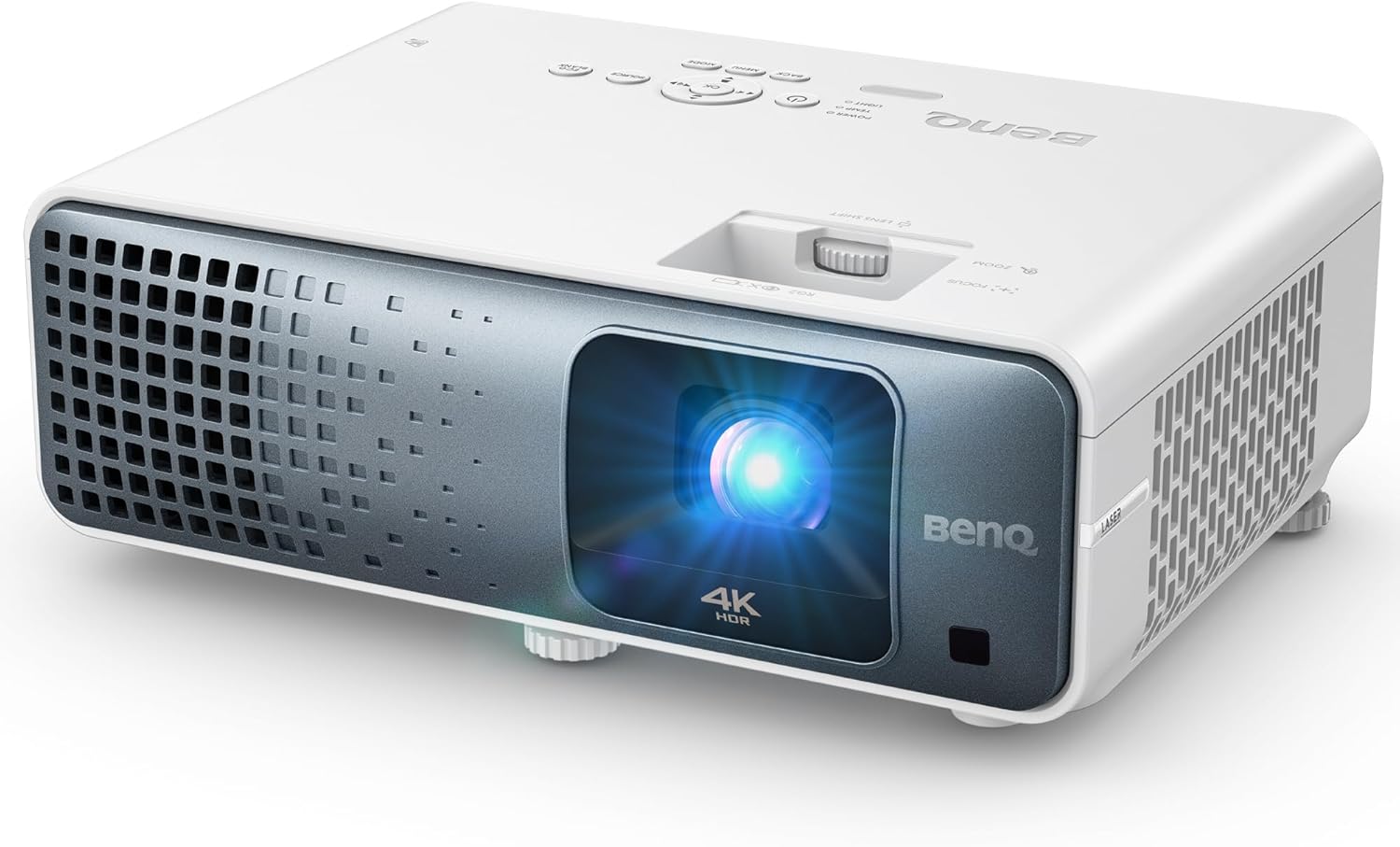
The BenQ X500i is a 4K HDR short throw projector designed specifically for gamers and home theater enthusiasts who lack the space for a traditional long throw setup. It's a strong fit for anyone building a game room, mancave, or bedroom theater where projection distance is limited.
Where this projector shines is gaming performance. With input lag as low as 4.2ms and automatic game mode detection for consoles like the PS5 and Switch, reviewers consistently praised how smooth and responsive gameplay felt. The 4LED light engine also produces bright, detailed 4K HDR images with deep contrast, and built-in Android TV makes streaming from Netflix, Prime Video, and YouTube simple without extra hardware.
Build quality is compact and practical, weighing 11 pounds with a tabletop mount design that suits flexible placement. Setup was described by multiple users as quick and painless, with the short throw lens easily filling a 100 to 150 inch screen from just a few feet away.
The main drawbacks are on the connectivity side. The X500i uses HDMI 2.0 rather than 2.1, which limits some next-gen console features, and there's no Ethernet port, meaning reliable performance depends on a solid Wi-Fi connection. Built-in audio is serviceable but won't replace a dedicated sound system for serious home theater use.
Overall, the BenQ X500i is a well-rounded 4K short throw projector that delivers on brightness, color, and gaming responsiveness. It's a smart pick for gamers and casual home theater users working with tight spaces, though enthusiasts chasing HDMI 2.1 or wired networking may want to look elsewhere.
Pros
- Ultra-short throw design fits tight spaces and avoids shadow interference
- Strong 3600-lumen brightness works well in rooms with some ambient light
- Integrated Android TV removes the need for a separate streaming device
- Yamaha-engineered audio significantly outperforms typical built-in projector speakers
- Long-lasting laser light source reduces maintenance costs over time
Cons
- Native resolution is 1920x1080, not true 4K, despite accepting 4K input signals
- Premium price point places it above many standard home projectors
- Best picture performance requires an optional ALR screen, adding to the total cost
The Epson EpiqVision Ultra LS300 is a smart, ultra-short throw laser projector designed for buyers who want a large-screen viewing experience without the bulk of a traditional home theater setup. It's aimed at movie fans, sports viewers, and casual gamers who want a screenless TV alternative that's easy to place and simple to use.
Its standout feature is the combination of 3600 lumens of brightness with a custom Yamaha 2.1 speaker system, giving both picture and sound a noticeable edge over typical projectors in this category. The built-in Android TV platform adds real convenience, letting users stream Hulu, Disney+, YouTube, and more right out of the box without needing a separate streaming stick.
Design-wise, the LS300 has a clean, minimal look that blends into a living room rather than standing out as tech equipment. The ultra-short throw optics mean it can sit on a low table just inches from the wall, which is a major space-saving advantage over long-throw projectors that need to be mounted at a distance.
The main drawbacks are its 1080p native resolution despite 4K input support, and the fact that its best picture quality is realized when paired with an optional ALR screen, an added expense many buyers may not anticipate. It also sits at a premium price point compared to entry-level projectors.
Overall, the Epson EpiqVision LS300 is a strong choice for anyone wanting a genuine screenless home theater experience with quality audio and modern smart features built in. It's especially appealing for those short on space or looking to avoid the clutter of a separate soundbar and streaming device.
The LS300 features true 3-chip 3LCD technology with a native resolution of 1920x1080 and support for input signals up to 4096x2160. It offers a 10000:1 contrast ratio and a maximum image size of 120 inches, with a minimum throw distance of just 2 feet thanks to its ultra-short throw laser array.
Connectivity includes HDMI, USB 2.0 Type A, Micro USB Type B, S/PDIF, and Bluetooth, making it compatible with laptops, smartphones, tablets, and gaming consoles. The laser light source is rated for 20,000 hours of operation, minimizing long-term maintenance costs.
Power consumption is rated at 100 watts, with support for both 110V and 220V setups. The unit ships with a smart remote control, power cord, quick setup guide, and batteries, backed by a 2-year limited warranty with full-unit replacement support.
Pros
- Ultra short throw design eliminates shadows and works great in small rooms
- Bright, punchy image quality praised by multiple reviewers even on textured surfaces
- Low input lag makes it genuinely gaming-friendly
- Long-lasting laser light source reduces long-term maintenance costs
- Simple, reliable setup with helpful image adjustment tools
Cons
- No built-in operating system or smart features, and it does not read media files from USB despite having a USB port
- Onboard speaker is only adequate, not a replacement for a proper sound system
- Some buyers received units with broken security seals, raising concerns about new vs. refurbished stock
The Optoma GT3500HDR is an ultra short throw laser projector built for gamers and casual home theater fans who want a big-screen experience without ceiling-mounted hardware. It projects up to a 120-inch image from just over a foot away, making it an easy TV replacement for living rooms and media spaces.
Its standout feature is the Enhanced Gaming Mode, offering 8ms input lag at 1080p 120Hz, a genuinely competitive spec for a home projector at this price point. Reviewers confirm strong brightness and color performance, with one user successfully running it on a 144-inch screen despite the 120-inch official maximum, and another praising its clarity even on a textured wall.
Build quality feels solid and setup is straightforward thanks to digital zoom, keystone correction, and 4-corner adjustment. The airtight optical engine supports 24/7 operation, and the DuraCore laser light source is rated for up to 30,000 hours, so long-term reliability shouldn't be a concern.
The main drawbacks surface in real-world use: the USB-A port is power-only and cannot read media files, which frustrated at least one buyer expecting basic file playback. The built-in 15W speaker is functional but unremarkable, and there have been isolated reports of units arriving with broken security seals, suggesting some quality control inconsistency in fulfillment.
Overall, the GT3500HDR is a strong pick for gamers and movie watchers who prioritize brightness, low input lag, and flexible placement over smart features or native 4K resolution. It delivers a genuinely immersive big-screen experience for the price, provided buyers manage expectations around its 1080p resolution and lack of onboard media playback.
The GT3500HDR features a native resolution of 1920 x 1080 with 4K HDR input compatibility, 3800 ANSI lumens brightness, and a 500,000:1 contrast ratio for sharp, vivid imagery.
Throw distance ranges from 0.66 to 1.31 feet, supporting image sizes between 90 and 120 inches, ideal for ultra short throw setups in compact rooms.
Connectivity includes 2x HDMI 2.0, USB-A for power, 3.5mm audio out, RS232, RJ45, and 3D sync, making it compatible with game consoles, streaming devices, PCs, and more.
It runs on 119 watts total power with a 54-watt laser light source rated for 30,000 hours, backed by a 1-year parts and labor warranty and a 5-year or 12,000-hour light source warranty.
How to Choose Your Projector
Understand Keystone Correction Capabilities
Digital keystone correction is the feature that corrects image distortion when your projector isn’t perfectly aligned with the screen. Look for models that offer both horizontal and vertical adjustment, like the ViewSonic LS711HD. This flexibility is invaluable if you cannot place your projector on a perfectly centered table or mount.
Some projectors also include four-corner adjustment for fine-tuning. This gives you pixel-level control to make sure every corner of your image is sharp. This is a significant advantage over basic keystone correction. For more information on versatile placement, check our analysis of models for casual viewing setups.
Consider Your Primary Use Case
Your main activity dictates the best features. For gaming, prioritize low input lag and high refresh rates. The BenQ X500i offers exceptional responsiveness at 4.2ms. For movie nights, focus on color accuracy and HDR performance. A model like the Epson LS500 delivers a stunning HDR picture.
If your room has ambient light, brightness becomes critical. Lumens matter here. Both the Optoma GT2400HDR and the ViewSonic LS711HD boast high brightness levels to combat washed-out images. Matching the projector to your room’s conditions ensures a satisfying experience.
Evaluate Smart Features and Audio
Integrated streaming platforms are a major convenience. Several models come with Android TV built-in, providing immediate access to apps like Netflix and Disney+. This turns the projector into an all-in-one entertainment hub without needing an external streaming stick. You can compare these features in our guide to projectors with smart streaming.
Don’t overlook sound quality. Built-in speakers vary widely. Some, like the Yamaha-tuned system in the Epson LS300, rival standalone soundbars. Others provide basic audio suitable for casual use. If audio fidelity is a priority, verify the speaker specifications or plan for an external sound system.
Final Thoughts
Selecting the right ultra short throw projector involves balancing features with your specific needs. For users seeking a premium, all-in-one entertainment solution with stunning 4K HDR, the Epson EpiqVision Ultra LS500 stands out. Conversely, if your priority is a bright, flexible setup for mixed-use environments with advanced keystone tools, the ViewSonic LS711HD presents an excellent value. Both ensure your image is perfectly aligned, transforming any wall into a personal cinema.
Frequently Asked Questions
What is digital keystone correction and why do I need it?
Digital keystone correction is a feature that digitally manipulates the projected image to make it rectangular, even if the projector is tilted up, down, or to the side. You need it because perfect alignment is often difficult in real rooms. Without it, your image will appear as a distorted trapezoid, not a perfect rectangle.
Can I use these projectors in a bright room?
Yes, many of these models are specifically designed for ambient light. Look for projectors with high lumen outputs, such as 4,000 lumens or more. The high brightness helps the image remain vivid and clear even with some room lights on or daylight coming through windows. Pairing it with a high-contrast screen can further enhance performance.
Are ultra short throw projectors good for gaming?
Absolutely. Modern UST projectors have made great strides for gaming. Key features to look for are low input lag, measured in milliseconds, and high refresh rates. A low latency projector, like the BenQ X500i, ensures your controller inputs appear on-screen almost instantly, which is crucial for competitive and fast-paced games. For a deeper look at gaming features, see our guide on projectors for TV replacement.
How do I set up the keystone correction?
Setup is typically done through the projector’s on-screen menu. You navigate to the display or geometry settings, where you’ll find sliders for horizontal and vertical keystone. Adjust these sliders until the sides of your image are perfectly straight and parallel to your screen or wall. Most projectors offer an auto-keystone function that attempts to correct the image automatically, but manual adjustment often yields the best results.




Write Your Review
No reviews yet. Be the first to share your experience!